
Numerical Audio MidiRack is a new modular MIDI toolkit and performance environment for iPadOS designed to create custom touch surfaces.
Kai Aras, or Numerical Audio, has offered the KB-1 keyboard Suite app in the App Store for some time, and it provides 8 distinct performance layouts for iPad and iPhone. Its adaptability is limited to certain parameters.
For those who want to go deeper, Numerical Audio’s new app MidiRack gives you an entire customizable MIDI playground, including the KB-1 layouts.

Numerical Audio MidiRack
MidiRack is a new modular MIDI toolkit and performance environment for iPadOS. According to Kai Aras of Numerical Audio, MidiRack bridges the gap between touch performance and deep MIDI architecture.
The MidiRack app has two distinct workflow layers: the performance surface, described as the base app, and the MIDI graph/canvas available via an in-app purchase.
The base app is a MIDI playground in the form of a grid where you can drag and drop customizable interface modules, including the KB-1 Expressive Suite, also available as a separate app.
In this, you get keyboards, MPE Seaboard-style ribbons, scale-locked keyboards, diatonic chord pads, and MPE string grids that you can simply drag and drop on the interface. You can also work with drum pads, faders, knobs, and sequencers.
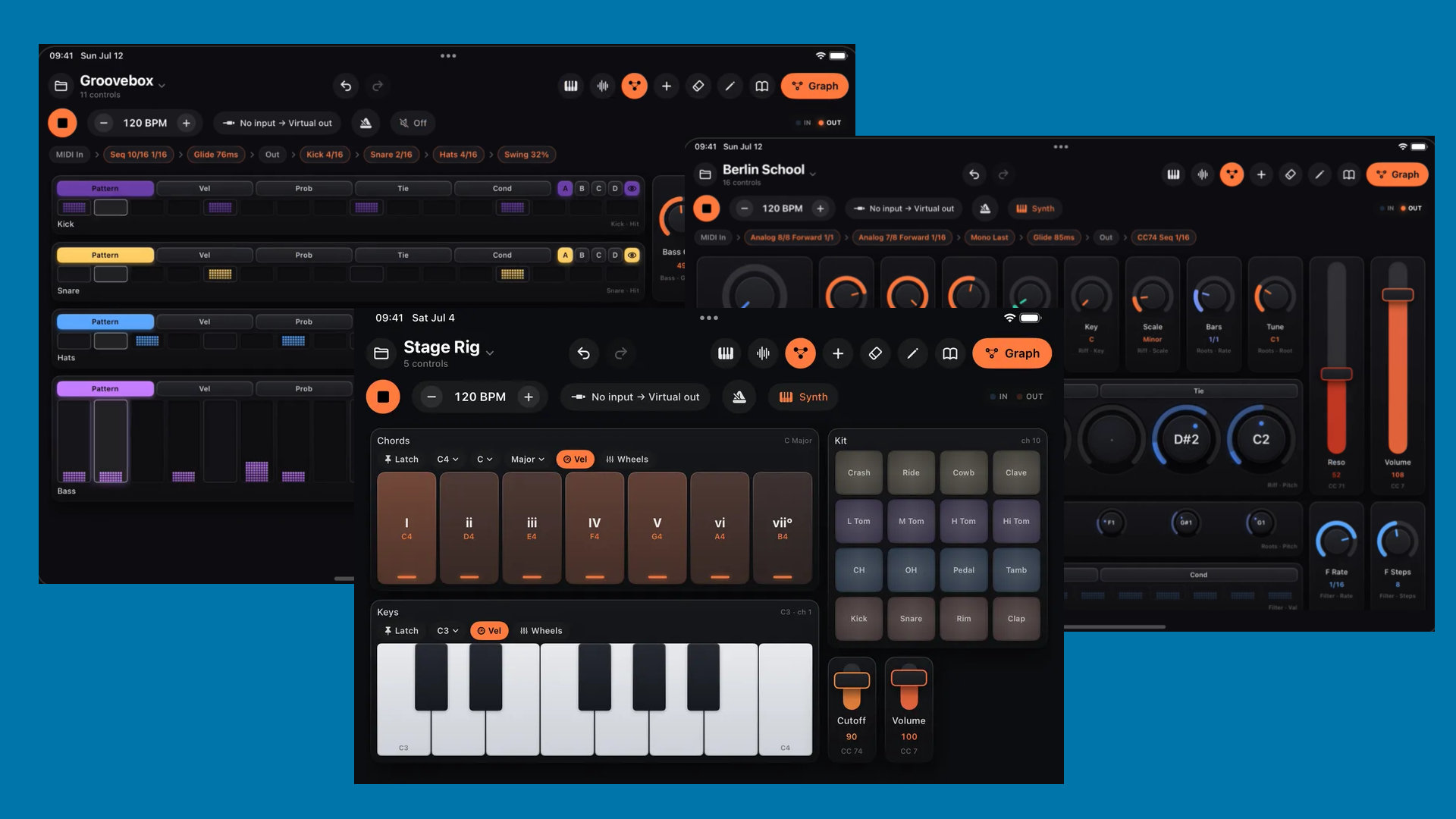
Sequencers
The sequencers are one of the most powerful tools in the base app. There are drum, melody, chord, and CC sequencers plus analog-style and matrix sequencers. They have a moving playhead, microtonality support, per-step probability, trigger conditions, and more.
And like in your usual sequencer app, you can route them to MIDI devices, drive them from your host transport, and clock them in different ways: node or external trigger pulses. This also applies to the faders, knobs, etc., which you can easily map to MIDI CC parameters.
This makes it very easy to build your own touch surfaces with various configurations. Just knobs, just faders, or just the sequencer, or a colorful mix – your creativity and use case determine the surface’s appearance.
Deeper With The MIDIGraph
Hidden beneath these MIDI blocks is a comprehensive modular MIDI engine based on a node system. One of many such node systems from recent weeks
You can access it via the organe graph button, which you can unlock with the in-app purchase. It’s $7,99 at the intro and later $14,99. Once inside, you get a modular synth for MIDI functions.
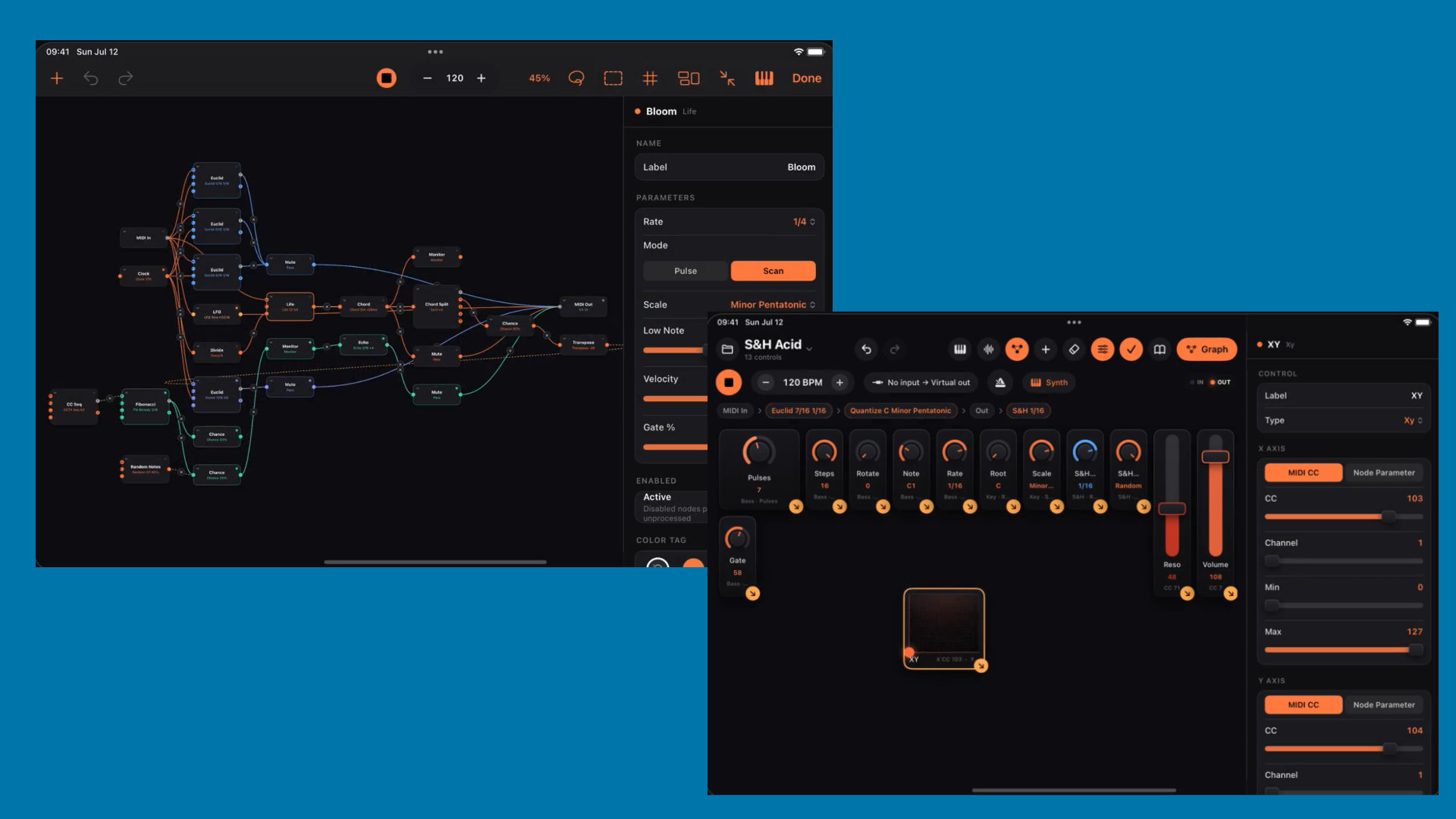
Here, you can route MIDI visually through 60+ processing nodes, allowing you to build generative rigs with Turing machines, Markov chains, Conway’s Game of Life, and more. To achieve this, it ships with generative music models, scale quantizers, and more.
Numerical Audio goes one step further by incorporating a sound engine right in MidiRack, including built-in subtractive synth and sampler engines. Why? Simple to test the MIDI generators and setups.
Nice: the app comes with instant DAW and hardware integration. Connect to Ableton Live, Bitwig, or Logic over USB (via IDAM) or Bluetooth MIDI—no drivers required.
First Impression
MidiRack looks like a powerful MIDI environment that lets many users easily build their own performance touch surfaces. It’s great that the keyboards from the other app are included.
It’s a shame that Kai Aras has abandoned the original design of his previous apps and is now opting for an “often seen” look.
Numerical Audio MidiRack is available now for an introductory price of $7,99 instead of $14,99. The graph editor is unlockable via a $ 7.99 in-app purchase (regular $14,99). It runs as a standalone and AUv3 plugin on iPadOS only.
More information here: Numerical Audio / App Store