Hi everyone!
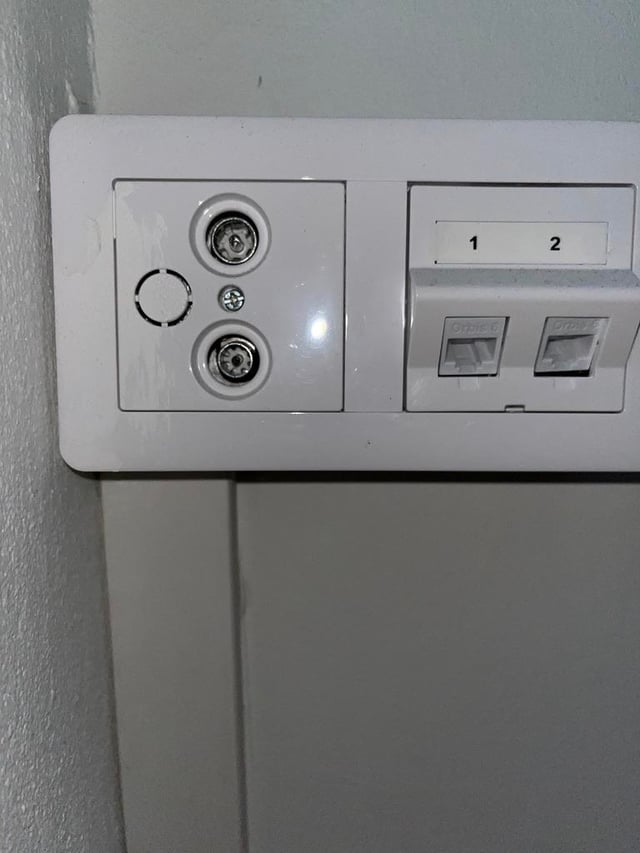
Moving soon and confused by the internet hookups. I see a coaxial outlet and an Ethernet port. In my old place, we just plugged the ISP's modem into the coaxial cable.
What's the easiest way to get Wi-Fi here? Do I just call an ISP to activate the coaxial outlet? What's the wall Ethernet port for? From my understand, the price for a modem that support Coaxial is very high, can I just get a router instead?
Landlord isn't sure. Any advice is appreciated
by No-Bar7240
8 comments
Ask isännöitsijä / hallitus. Its impossuble to know with current info.
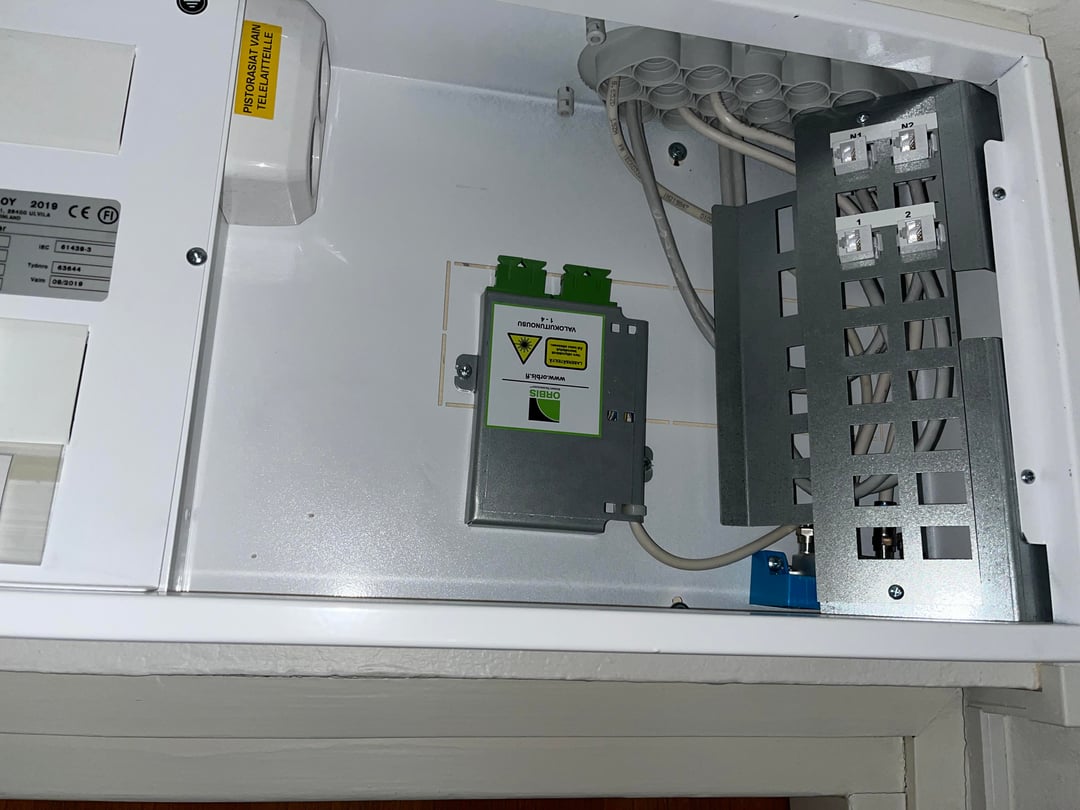
N1 and N2 ports in the electrical cabinet should be the outside internet connections, and the ports labelled 1 ans 2 correspond to those ports in the wall outlet. You’re supposed to place the router inside the cabinet between the outside internet connection (N1 OR N2) and the wall ports (1 and 2).
Alternatively you could just connect N1 to 1 inside the cabinet and move the router into the room and plug it into the wall, that’s how I have mine set up.
The grey box in the middle brings the fibre optic cable from your building’s main connection unit to your apartment. Get a fibre optic modem/router from your ISP and connect it to the grey box with a fibre optic cable.
Then get an ethernet cable from the modem to the cross connection on the right side. For example to the port number 1
Then connect your wifi router to your living room port number 1
This is the simple way, configure it all as you need.
You can have your modem either in the cabinet or just connect N1 to 1 with cable and put your modem to 1 in your room.
You’ll just have to have the right kind of modem from the operator. I had to retire my old coaxial modem after moving.
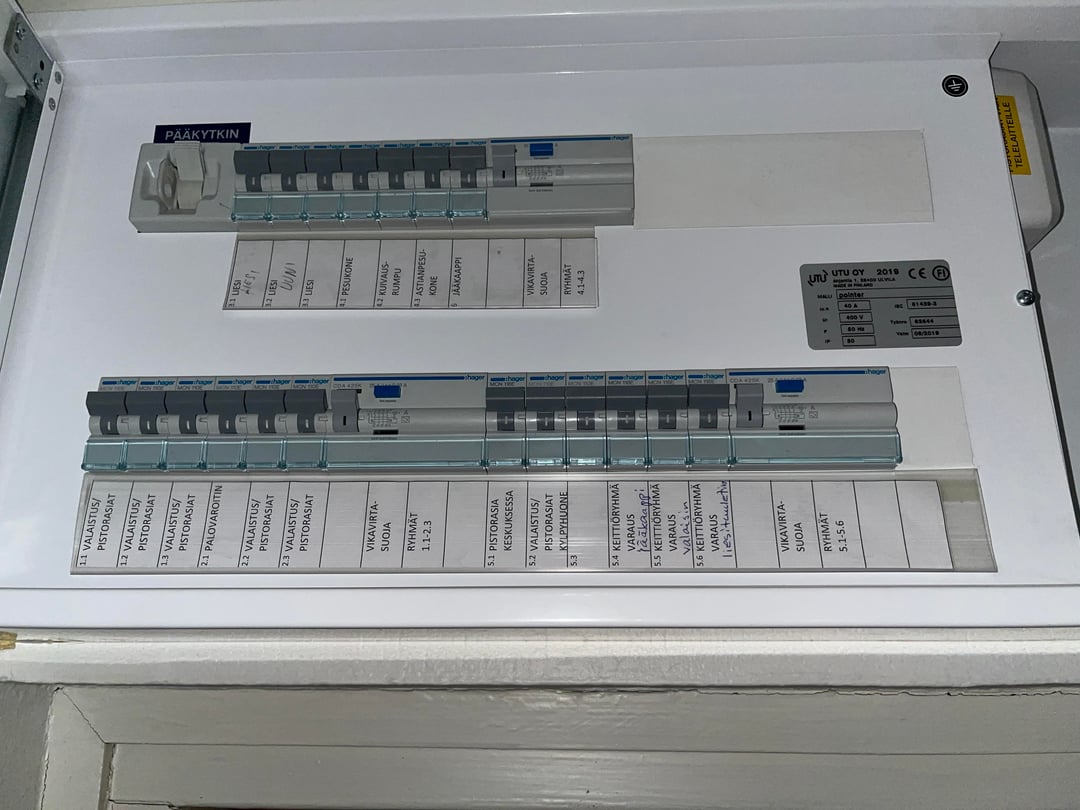
second picture. bottom row, left on is wrong. should be up up down up down up.
right would be optimal if down down down up down up, but current works ok too.
then to reset, and take in use the new working internet settings, turn that biggest lever from top left down. wait twelve seconds (to flush dns). and back up.
enjoy fast internet. 🙂
https://preview.redd.it/lsq266sj57ag1.jpeg?width=3196&format=pjpg&auto=webp&s=5cd3ee1023b1f9d863b715373f2a32552079c785
My simple setup:
* Get a wifi router within your price range e.g. from Verkkokauppa
In electrical cabinet:
* N1 to 1 (or other port that corresponds to the port of your desired location of your router)
In my PC room:
* port 1 (on wall) to wifi router’s WAN port
* wired connection from router LAN port 1 to desktop PC and wireless to other devices.
* if I need more wired connections elsewhere in my apartment, I would connect another LAN port from router to port 2 on the wall and then make necessary connections from port 2 in the electrical cabinet. All internet traffic is still going through the same router that can be used to control all your connections.
The electrical cabinet can reduce your wifi quality so ideally you should place your wifi router elsewhere. My router doesn’t even fit inside the cabinet.
E: your isännöitsijä / property manager should know who is your ISP. You might need to register as their user even if you are using the provided basic internet connection of your building.
My ex didn’t know her ISP so I just checked web pages of different ISPs and found which one was providing internet access to the apartment before we got answer from property manager 😀
Question: Does the apartment have an internet connection? If not, it is worth checking with the property manager to see if the housing company has an agreement with a provider. If there is no such agreement, you will have to obtain a connection through an Elisa/Telia/dna company, etc.
“Landlord isn’t sure” Ugh how can they be so useless? This is their one job.
Figure out who your provider is and go from there. Also, since your landlord is useless, figure out if the building has a connection deal with a specific provider – it’s often cheaper than getting any random one.
Other comments give good info about the ethernet wiring. But as for internet, you might have any number of connections coming into the building. Cable, 5G, fibreoptic, whatever else they have going these days. It may be that you have an electric cabinet with connection to the building’s internet. But it also may be that the coax connection is linked to a cable network etc.
Comments are closed.