As tech giants deal with the soaring upfront cost of building AI infrastructure, software vendors face intense pressure to prove their software is genuinely useful. To make these systems part of daily routines, developers are pushing AI tools straight into personal desktop software.
Through a new macOS desktop plugin, ChatGPT can now control iMessage, letting the chatbot search chat histories, draft responses, and send texts directly from your Mac.
This integration is very convenient, but it gives a third-party tool free control over Apple’s protected ecosystem. Needless to say, this is sparking a huge privacy debate among Mac users and security professionals.
How the New iMessage Integration Works
OpenAI developed this specialized Apple Messages plugin for its macOS desktop app, focusing on subscribers using Codex and ChatGPT Work plans. Native macOS tools, such as AppleScript and Accessibility services, allow it to run locally on your machine.
The AI can then search through the past text message conversations, compose replies, and oversee threads in iMessage, SMS, and RCS. You can use the chatbot to catch up on missed group chats, get dates from past messages, or compose rapid follow-up texts.
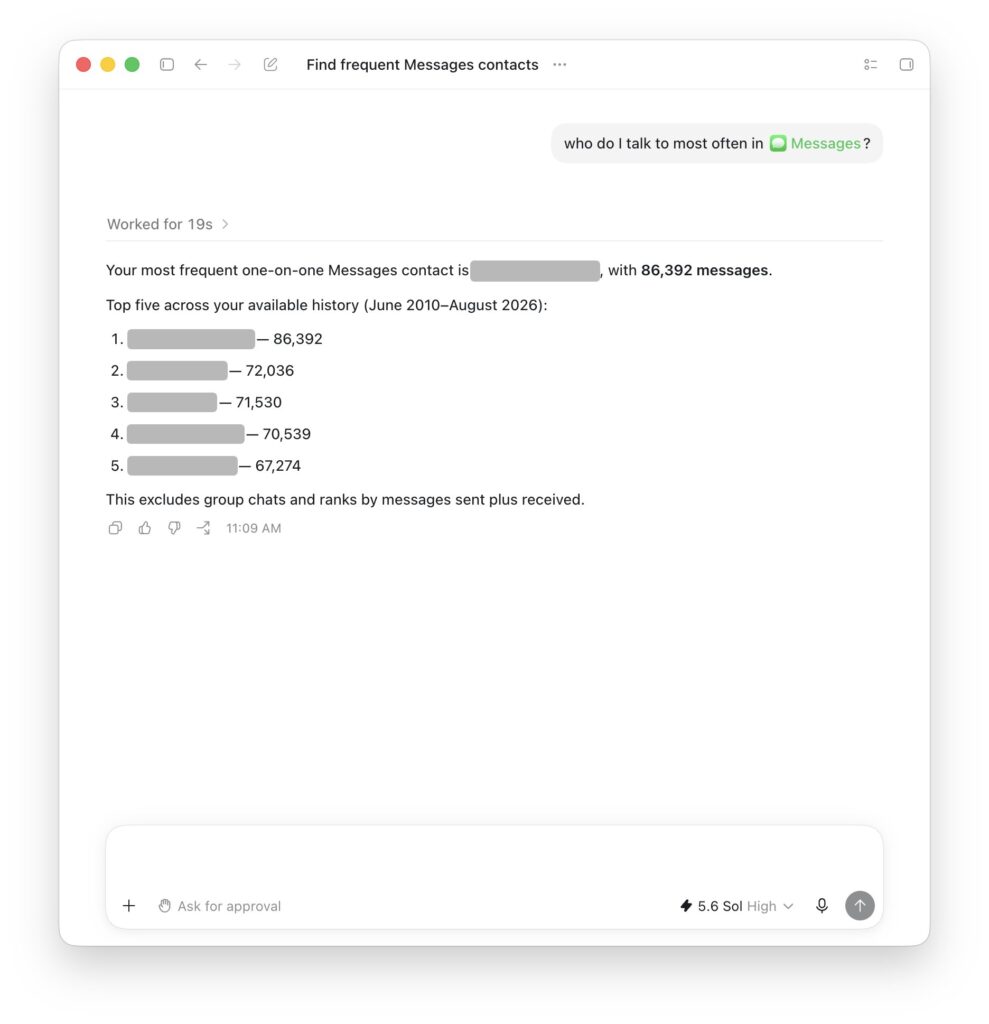
ChatGPT iMessage Integration
The system also defaults to having to individually authorize each outgoing text. But those who do not want to go through this confirmation process can disable it for faster and hands-free messaging.
More Updates: Astromech Raises $20M To Build Biological Forecast AI
Deep System Permissions and Privacy Risks
To make the integration functional, Mac owners must grant ChatGPT broad permissions across their operating system. The setup process involves enabling Full Disk Access in Mac System Settings and accessing contact lists and system automation tools.
Some of the built-in protections are not applied to the database file of the messages when they are read locally via iMessage, which is transmitted in an end-to-end encrypted manner. Full Disk Access would allow the app to access local backups, Safari web logs and Mail records.
OpenAI emphasizes that the plugin operates locally without creating a permanent search index of your texts. Even so, granting broad system privileges opens fresh security vectors if your Mac is ever compromised.
More Updates: Muon Space Raises $250 Million To Mass-Produce Satellites
Growing Tensions Between Apple and OpenAI
This unexpected launch arrives during a tense period between both tech companies. Apple recently sued OpenAI, alleging that it had been stolen from, and for the wrongful poaching of its employees.
Apple has always had a tight grip on its message service and has even fired competitors that tried to integrate with its service, such as Beeper Mini. Furthermore, Apple is readying its own Siri-powered AI capabilities that will work on-device to process messages.
By launching a Mac plugin that directly manages Apple Messages, OpenAI is stepping straight onto Apple’s territory. This move could push Apple to restrict third-party automation privileges in future macOS updates.
For professionals managing constant client communications, automated message search and drafting offer clear efficiency gains. However, privacy advocates warn against giving external software total access to sensitive personal text histories.
If you choose to use the plugin, keep the manual message approval setting active so texts never send without your explicit consent. Take time to audit your Mac privacy settings regularly. Ultimately, saving a few seconds on messaging should never require sacrificing control over your private digital life.
More Updates: Rillet Raises $100M To Build Financing AI Agents

I’m a crypto writer with 4+ years of experience passionate about turning big, technical ideas into content anyone can understand. From blockchain to stablecoins to everything in between, I enjoy helping readers stay informed in a space that never stops moving.