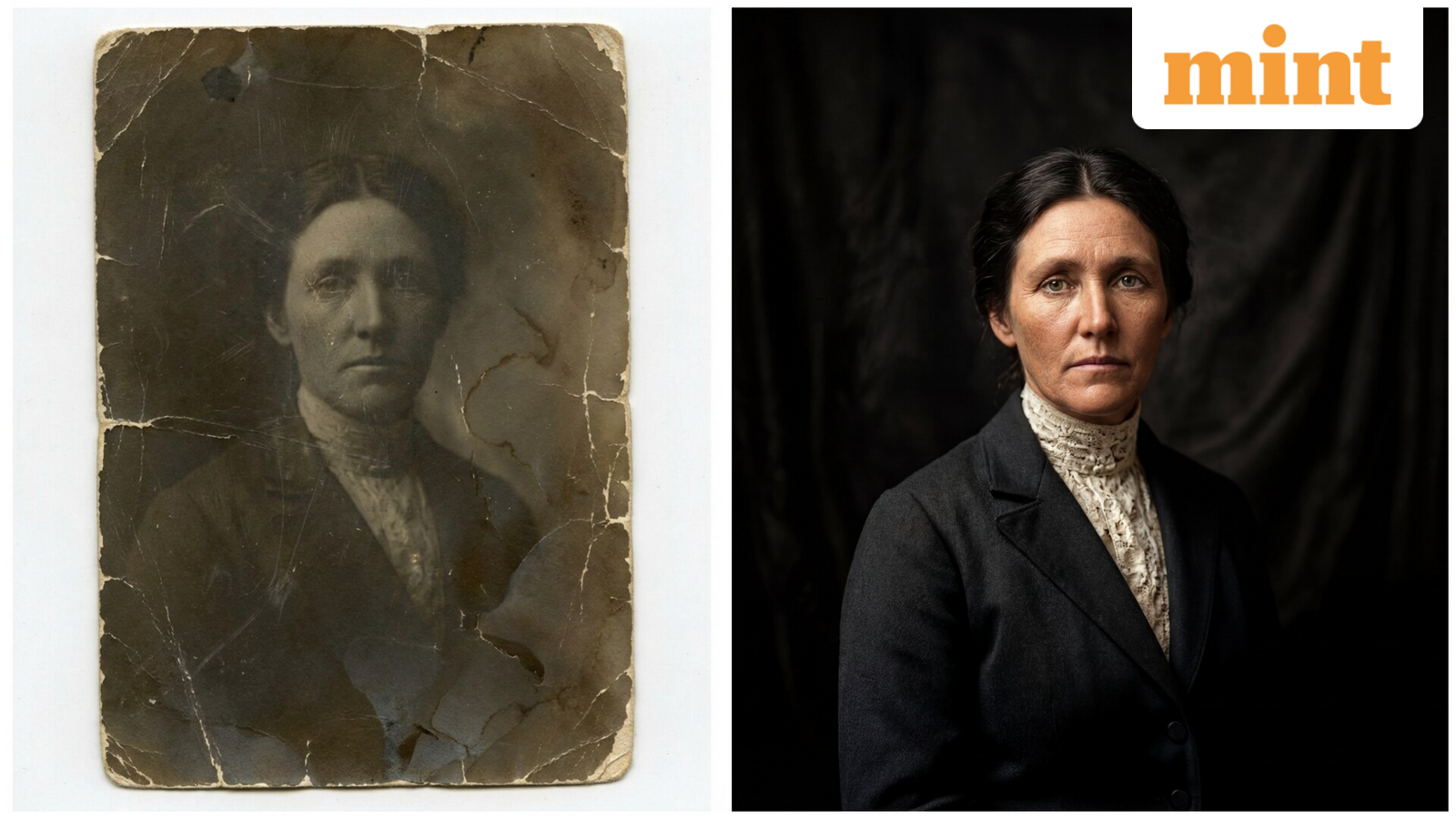
Google’s Nano Banana Pro has slowly gained a reputation for being one of the most popular and powerful AI image generation models out there. The model is capable not only of generating images from scratch using text prompts but also of taking complex edits to them while retaining original details.
Since the launch of Nano Banana Pro, users have found a number of ways to take advantage of the model’s capabilities, like creating infographics, product mockups and even social media thumbnails.
However, Google has shared a new way to leverage the full capabilities of its new model. The company says that Nano Banana Pro can be used to bring your old pictures into the 21st century by giving it a simple text prompt.
How to turn your old picture into a coloured one?
Open the Gemini app or website. Make sure you are signed in (preferably from a paid account).
Select generate image from the menu.
Enter the prompt: “Faithfully restore this image with high fidelity to modern photograph quality, in full color, upscale to 4K.”
You can also turn the subsequent image into a video, just to see how a famous personality may have looked in their prime. To turn the image into a video, go back to Gemini, tap on tools and click on create videos. However, the Gemini video generator (Veo 3.1) is only available to the company’s paid users. Alternatively, you can also use Grok’s Imagine feature to generate videos. While the quality may not be as good as Gemini, Grok can still add a playful twist to your images.
I didn’t have access to any black and white pictures, so I borrowed a few pictures of Mahatma Gandhi from the HT archive and turned them into colourful ones with Nano Banana Pro.
What’s new with Nano Banana Pro?
Nano Banana Pro comes with integration to Google Search and is powered by the tech giant’s latest Gemini 3 Pro model. This means that Nano Banana Pro doesn’t need to be given a specific text prompt for generating infographics and the model is capable of fetching information from the web and compile it to generate the relevant infographic.
So you can just tell Nano Banana Pro to generate an infographic for a recipe of tea or any other food of your choice. Recently, I used Gemini to look me up on the internet and then subsequently asked nano Banana Pro to generate an infographic on the kind of work I do. You can see the result below.