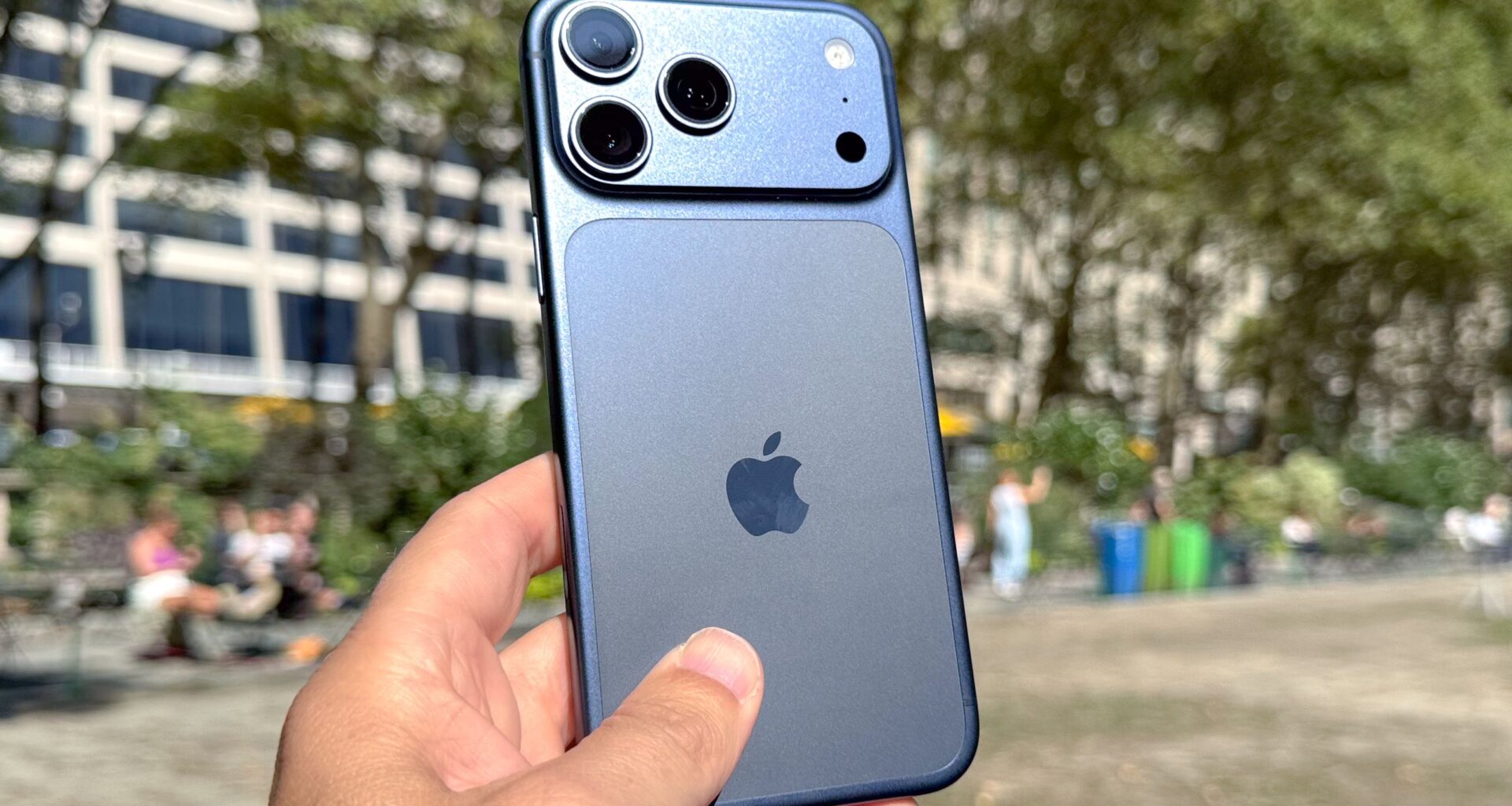
The iPhone is a very capable device. It’s always at or near the top of our best phones list every year. Most of the best iPhone features are well known, with Apple heavily publicizing them when it announces a new phone or iOS version. However, there are always some gems that slip through the cracks.
One such gem is an accessibility feature called Back Tap. While it’s designed to accommodate users, anyone can benefit from a quicker way to access functions that would typically require several clicks on the touchscreen.
You may like
How to enable back tap
Open Settings
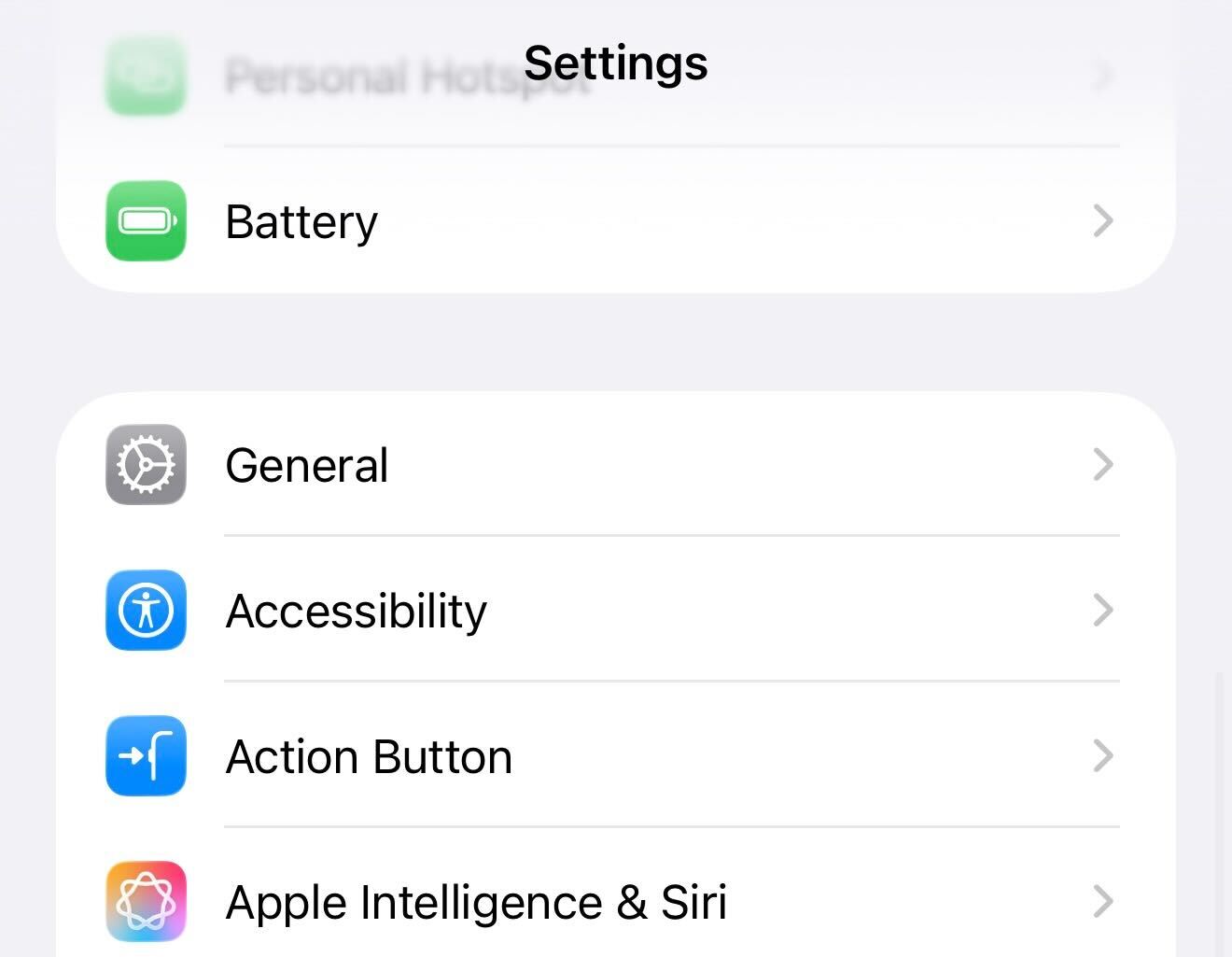
Like most iPhone tweaks, step one is to launch the Settings app on your iPhone.
Navigate to the correct Accessibility area
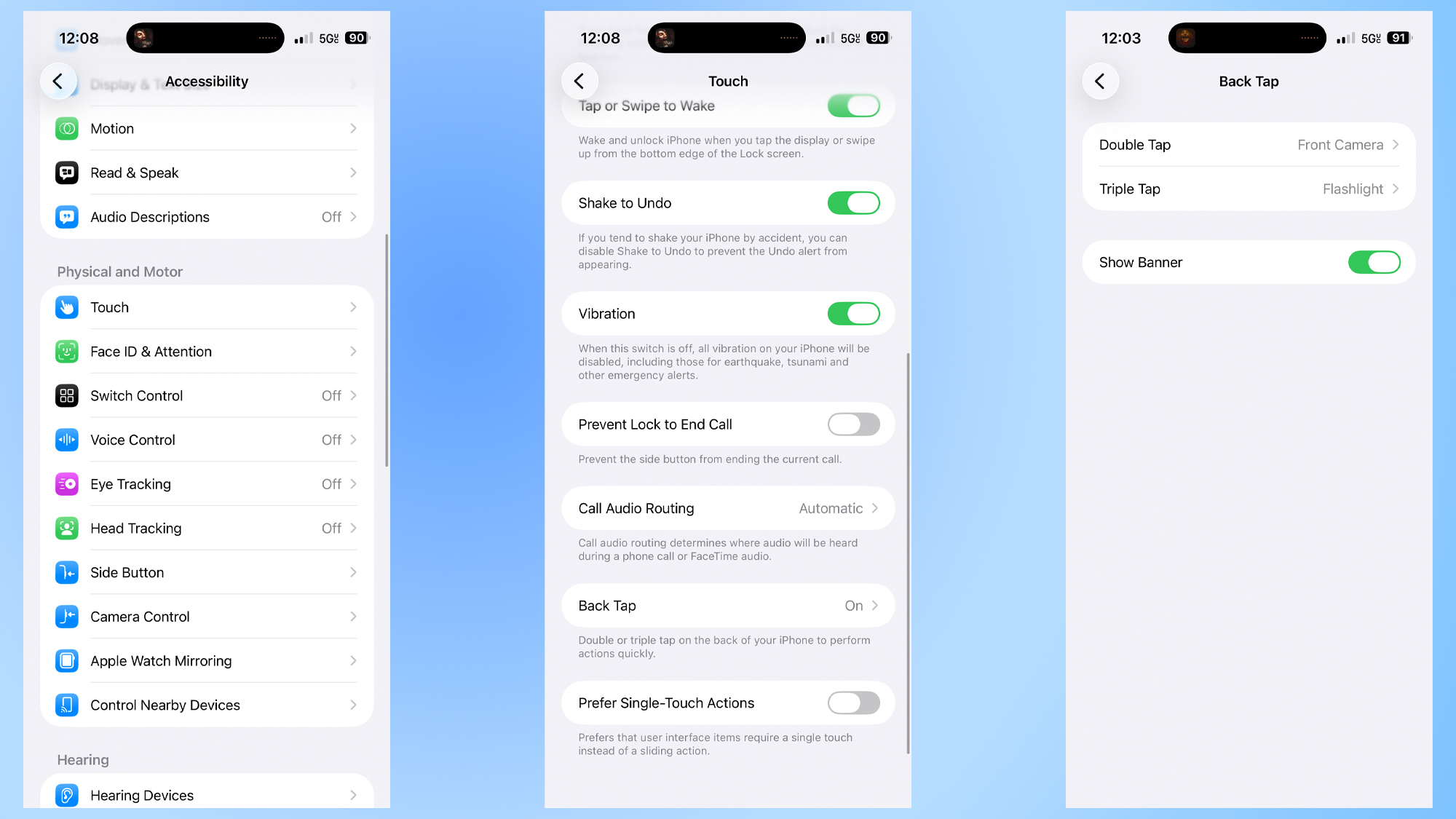
Once you have Settings open, you’ll need to tap Accessibility (just below General).
There are a lot of accessibility settings available on iPhone, but you’ll want to head to Touch. Scroll down to the bottom of this section and tap the Back Tap option.
Choose your Back Tap options
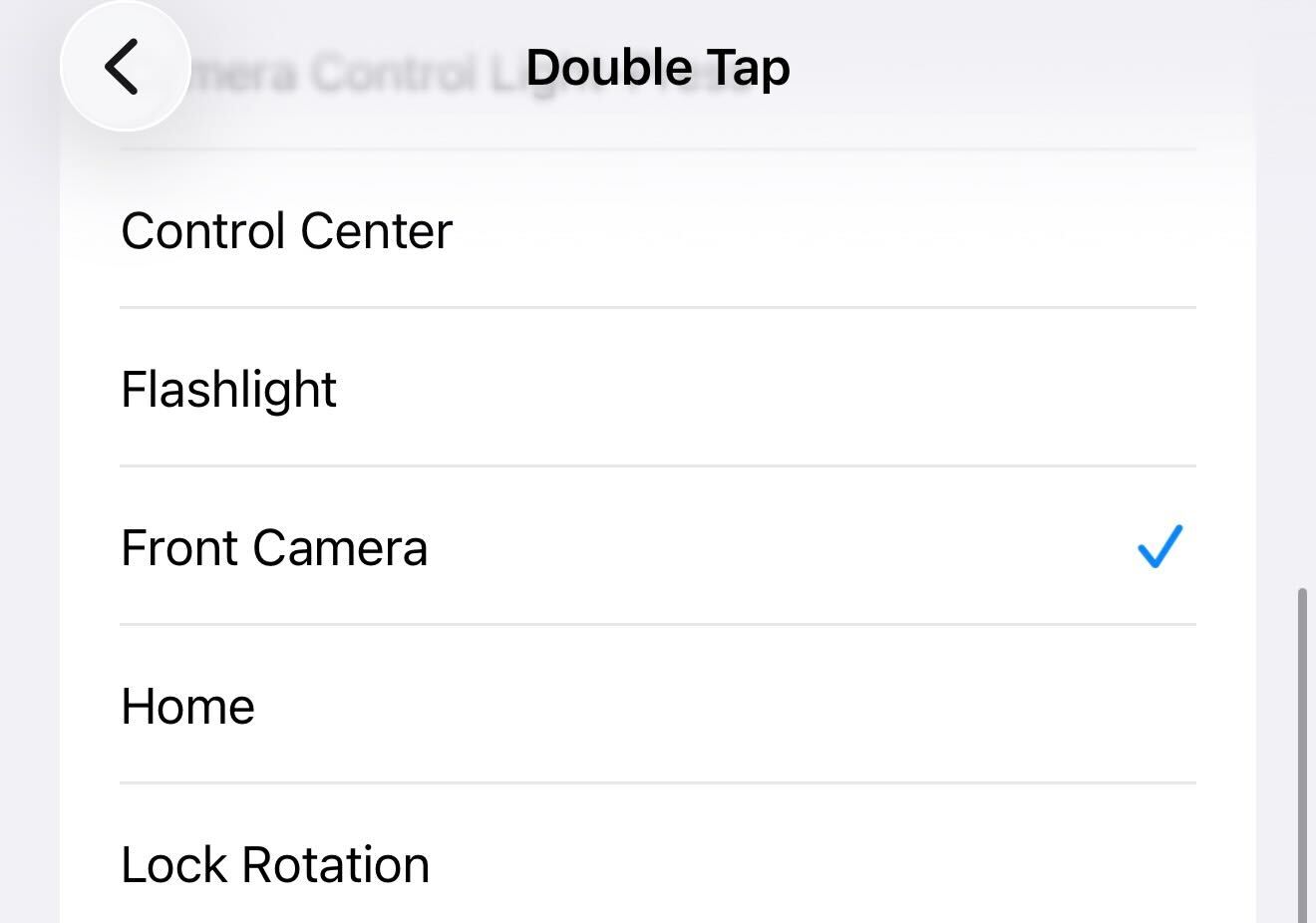
You’ll see Double Tap and Triple Tap options on your screen next. Tap Double Tap and choose the one you want (I use Front Camera). Do the same for the Triple Tap (I like Flashlight in this spot).
There’s also a Show Banner option here which lets you decide whether an indicator pops up on the screen to show that Back Tap has been used. I leave this on, but it’s really just a matter of personal preference if you want this (you can tell whether it worked based on the screen going to the front-facing camera or the flashlight turning on).
What functions can Back Tap use?
Here’s the complete list of features you can use with Back Tap:
- Action Button
- App Switcher
- Camera
- Camera Control
- Camera Control Double Light-Press
- Camera Control Light-Press
- Flashlight
- Front Camera
- Home
- Lock Rotation
- Lock Screen
- Notification Center
- Reachability
- Screenshot
- Shake
- Siri
- Spotlight
- Visual Intelligence
- Volume Down
- Volume Up
If you’re using the feature for accessibility rather than just convenience, there are tons more options, including Accessibility Shortcut, Magnifier, Smart Invert, Speak Screen, and more.
Why I use Font Camera and Flashlight
So with all those options, how did I land on Flashlight and Front Camera as the best two? It all comes down to personal preference and what you use a lot.
Let’s start with the flashlight. For me, getting to it when my phone is unlocked takes a few more steps than I’d like. Pulling down the Control Center and finding the flashlight button is a bit tedious for me. Triple-tapping the back of my phone lets me open the flashlight from anywhere without disrupting my workflow. I use my phone’s flashlight several times per day, and a quicker way to reach it is a nice time-saver.
Now, for the Front Camera, I use this because it’s just quicker to get a selfie. I tap the back two times, and no matter what mode my camera was in before, the front-facing camera opens. I could have been doing a panorama or video last, and with this shortcut, I’m looking at my own face in a matter of seconds.
Again, it comes down to preference: analyze which iPhone functions you use most and which are the most time-consuming to access. Whatever function you use, not taking advantage of Back Tap is a huge mistake, as it’s a simple way to save time — and who doesn’t want to save more time?
Follow Tom’s Guide on Google News and add us as a preferred source to get our up-to-date news, analysis, and reviews in your feeds.
More from Tom’s Guide
Today’s best Apple iPhone 17 deals