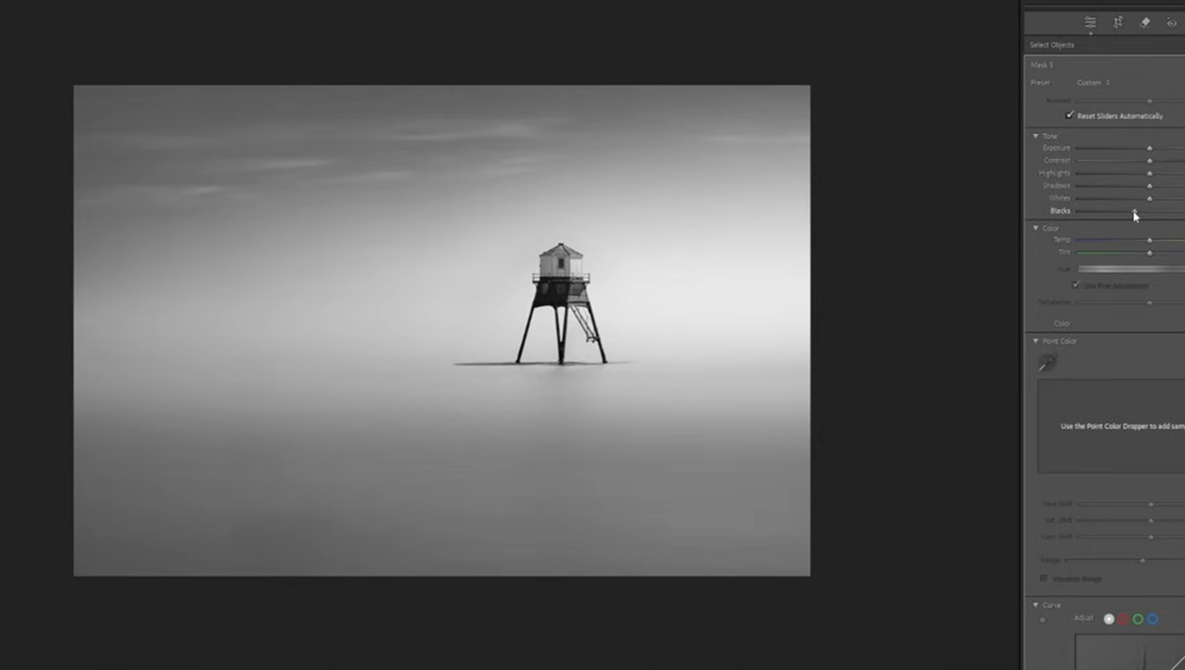
There is something about a lighthouse that demands a certain kind of stillness. I’ve spent more hours than I care to admit standing in the wind, looking at these structures—whether it’s Poolbeg Lighthouse in Dublin or a lonely sentinel on the coast of Portugal—waiting for the light to match the mood I see in my head.
I love videos like this one; there is so much to learn, and as we all know, the raw file is rarely the final destination. Often, the camera captures the facts, but it’s our job in post-production to find the feeling.
I recently came across a tutorial by Steve Stain that gets right to the heart of the “Fine Art” workflow. He takes a shot of Dover Court Lighthouse and demonstrates how to move past the distractions of the real world—the groins, the walkways, the clutter—to create something painterly and minimal.
Steve’s approach is refreshing because he doesn’t treat Photoshop like a scary, separate entity; he treats it like a surgical tool to fix what Lightroom can’t quite reach.
The “Landscape” Masking Trick: Lightroom’s new AI landscape selection is a bit of a game-changer. Steve uses it to separate the water and sky instantly, allowing him to pull the exposure up on the dark water to meet the sky before he even thinks about blending.
The Photoshop “Surgical” Strike: While Lightroom’s “Generative Remove” is getting better, Steve isn’t afraid to hop into Photoshop to truly clean the frame. By separating the lighthouse and the sky into layers, he’s able to stretch the sky and blend the horizon in a way that feels organic rather than “photoshopped.”
Light Direction Is Everything: By adding a radial gradient that mimics the actual direction of the light, he adds a three-dimensional “glow” that pulls the eye exactly where it needs to go.
What I love about Steve’s process is his admission that he often ends up with three different images—a color version, a high-contrast black and white, and something in between. It’s a reminder that we don’t have to have all the answers the moment we sit down at the computer. Sometimes, you have to “wander” through the sliders just like you wander through the landscape.
Fine art photography is often as much about what you remove as what you keep. Steve’s workflow is a masterclass in that subtraction. So, next time you’re looking at a cluttered raw file that feels a bit “messy,” don’t delete it. Have a watch of Steve’s process and see if there’s a minimal masterpiece hiding under the surface.