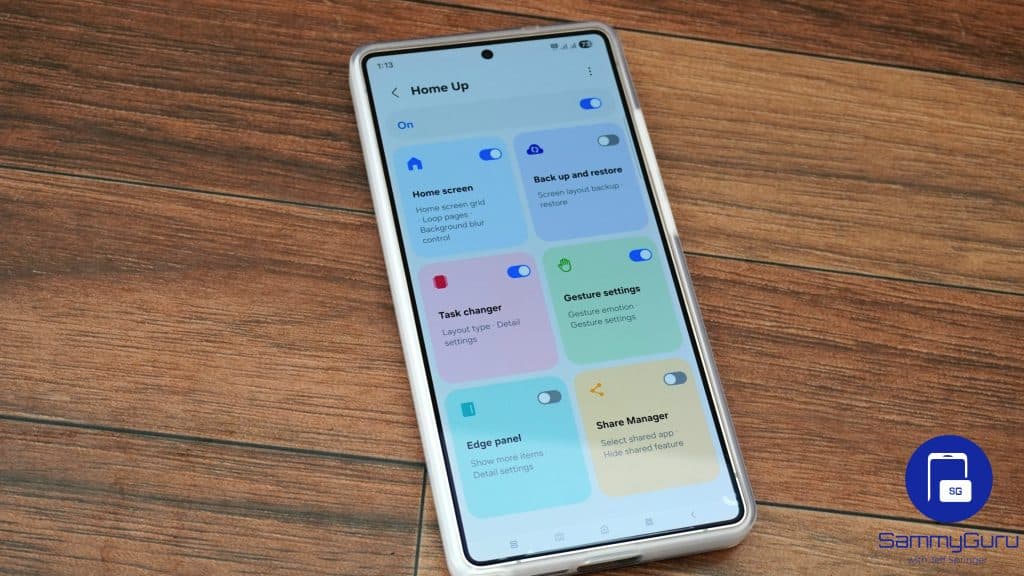
Samsung has finally rolled out Home Up for One UI 8.5, opening the door to deeper home screen customization for Galaxy S25 users testing the beta. As expected, the updated version (v17.5.00.18) brings a host of improvements and new functions. It should soon be available for all beta testers.
Home Up’s One UI 8.5 version brings a host of upgrades
The new version of Good Lock adds widget controls for the home screen. It lets you adjust the size of content within widgets and also remove the blur effect from the widget background. Samsung notes that certain widgets may not properly support these customizations.

Additionally, Edge Panels now offer an integrated panel for apps, tasks, and people. Instead of jumping between separate views, everything now lives on a single surface. You can add task shortcuts and contacts to the Apps panel. Galaxy Z Fold users, meanwhile, get an option to customize the number of favorites on the cover screen.
If you prefer gesture navigation, this Home Up update has something special for you too. You now get a toggle to turn on/off the “bottom swipe” gesture to switch to the last used app. Share Manager, on the other hand, now lets you exclude certain apps or shortcuts from appearing on the Direct Share menu in the sharing sheet.
This update also brings custom app icon labels and many other new features. On top of this, Samsung’s Home Up update for One UI 8.5 addresses a DIY Home layout misalignment issue that has been quietly frustrating users for months. Samsung has also patched a Backup and Restore widget issue where widgets were restoring incorrectly after data resets, creating unnecessary anxiety during device migration.
Overall speaking, this Good Lock update brings improved control over your home screen, letting users shape their daily Galaxy experience. The updated module is gradually rolling out to One UI 8.5 beta users via the Galaxy Store. However, if it hasn’t shown up for you yet, it can also be sideloaded manually, provided you’re comfortable with the usual APK risks. You can download the APK here (via W). Users on One UI 8 shouldn’t install this build, as it resets existing settings, while the new features don’t work either.