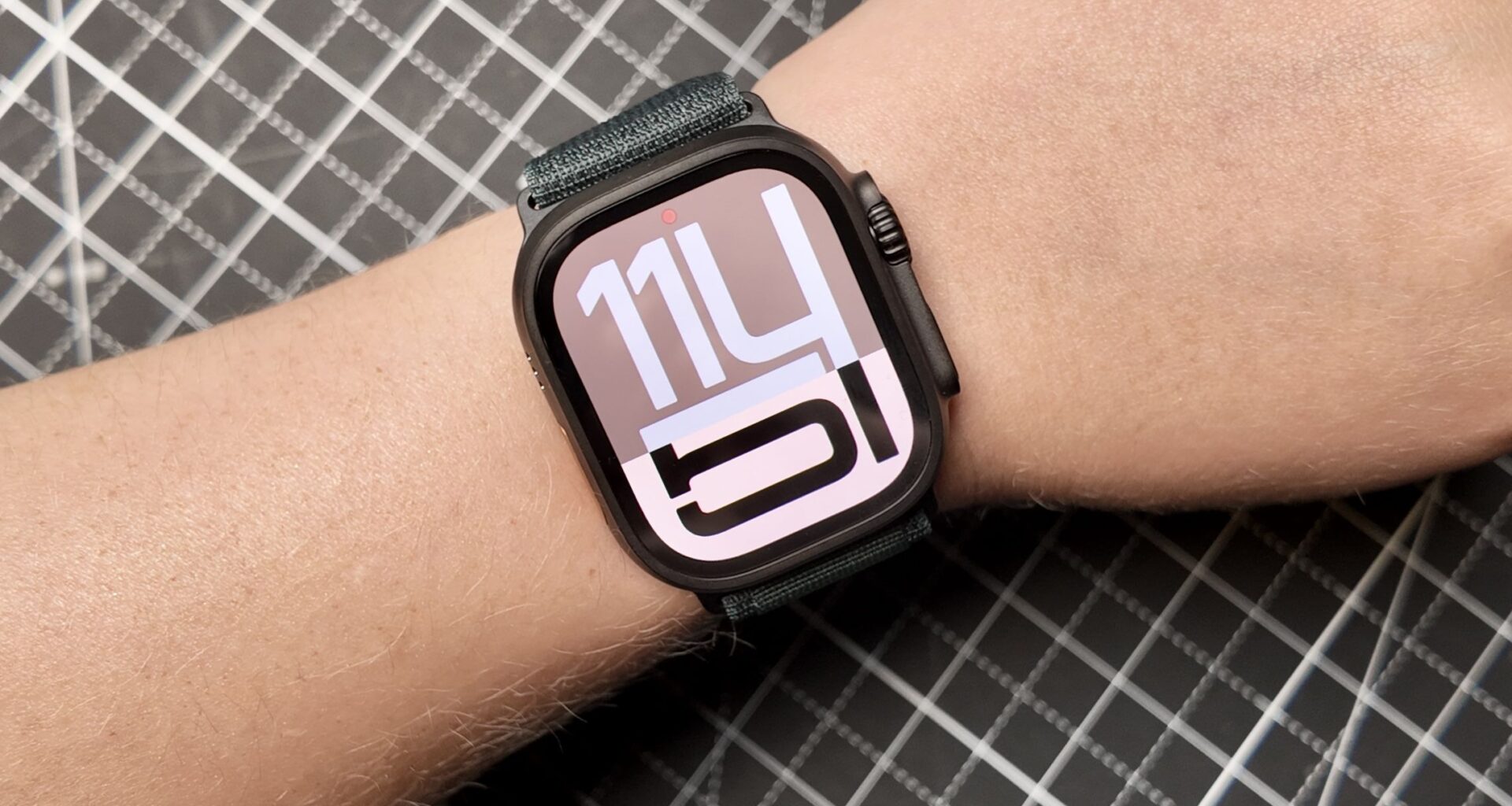
Even though there are plenty of great smartwatches out there from brands like Garmin, Samsung and even OnePlus, owning an Apple Watch brings a different level of convenience. The ecosystem features and how seamlessly it works with an iPhone are things that rival wearables just can’t match.
Whether you are using the Apple Watch SE 3, Apple Watch Series 11, or the top-of-the-line Apple Watch Ultra 3, the overall experience is consistently solid across the lineup.
You may like
1. Choose which apps can send you notifications
(Image credit: Tom’s Guide / Sanuj Bhatia)
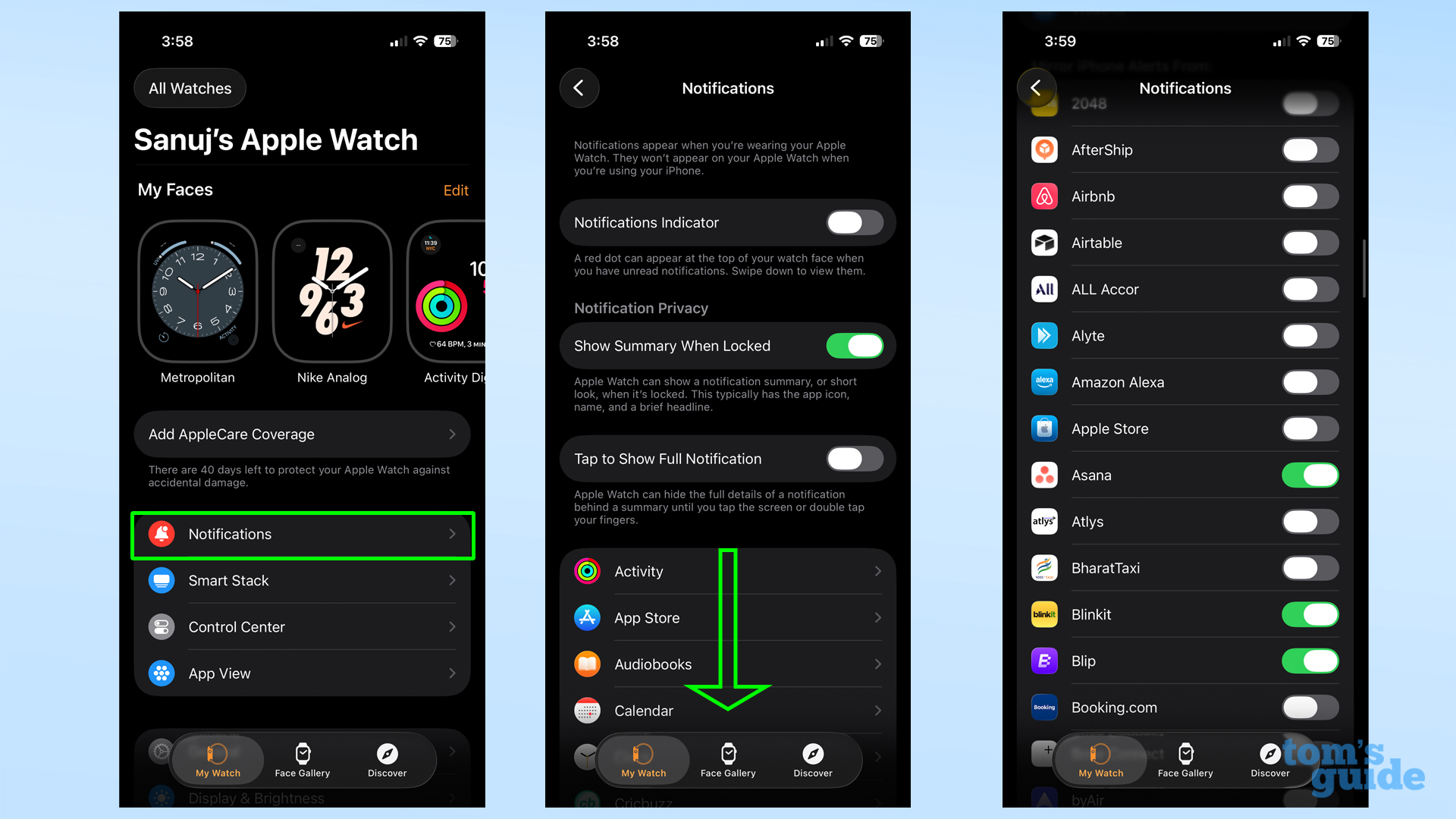
One of the first things you should decide on with your Apple Watch is which apps are allowed to send notifications to your wrist. By default, Apple lets every app installed on your iPhone push notifications to your Watch, but that’s rarely what you actually want.
To adjust this, open the Watch app on your iPhone and go to Notifications. Scroll down to the Mirror iPhone Alerts From section and turn off alerts for apps you don’t want sending notifications to your Apple Watch.
After this, your Apple Watch should (hopefully) only tap your wrist for notifications that matter, like work-related apps or important personal messages. Notifications from shopping apps, games, or random services can wait on your phone.
2. Change the wake duration
(Image credit: Tom’s Guide / Sanuj Bhatia)
By default, the wake duration on the Apple Watch is pretty short. This could mean the screen dims or turns off entirely while you are still reading a long notification or checking information on your watch face.
This is why I always increase it to the maximum available option. I find it gives me enough time to read an email or go through a longer notification without the screen turning off prematurely.
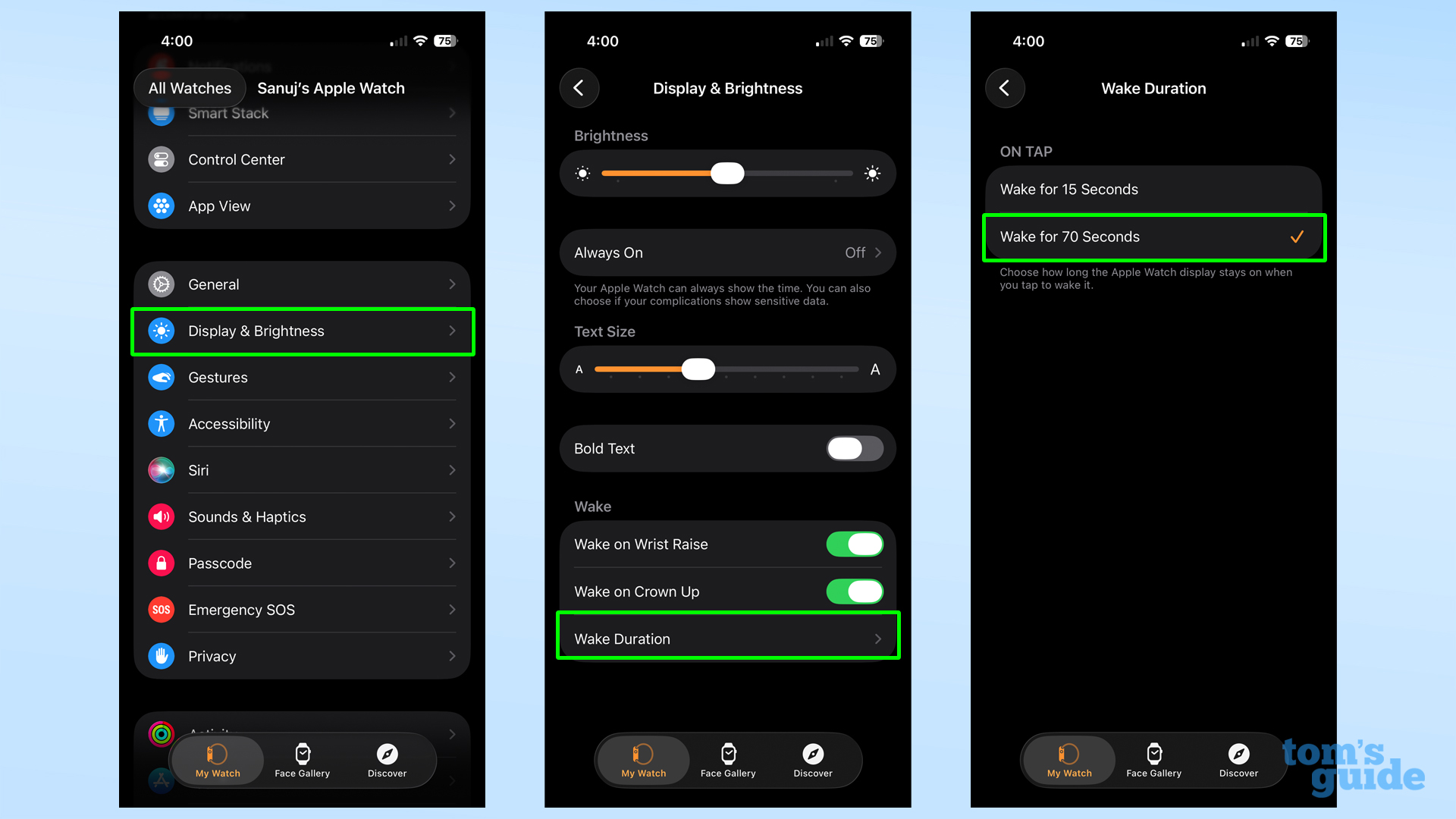
You can change this by opening the Watch app on your iPhone, going to Display & Brightness, tapping Wake Duration, and selecting 70 seconds.
You may like
Alternatively, you can turn off the Always On display from the same section and rely on Raise to Wake instead. This way, your Apple Watch only uses power when you are actively looking at it, and thanks to the longer wake duration, the screen stays on long enough for you to check everything you need to.
3. Disable stand reminders and other activity alerts
(Image credit: Tom’s Guide / Sanuj Bhatia)
One of the most annoying notifications you will get on your Apple Watch is the stand reminder. By default, if you’ve been sitting for the first 50 minutes of an hour, the watch nudges you to stand up and move around.
While this sounds useful in theory, it can get irritating very quickly in day-to-day use. Thankfully, you can disable these alerts, along with other activity-related notifications, if they are not your thing.
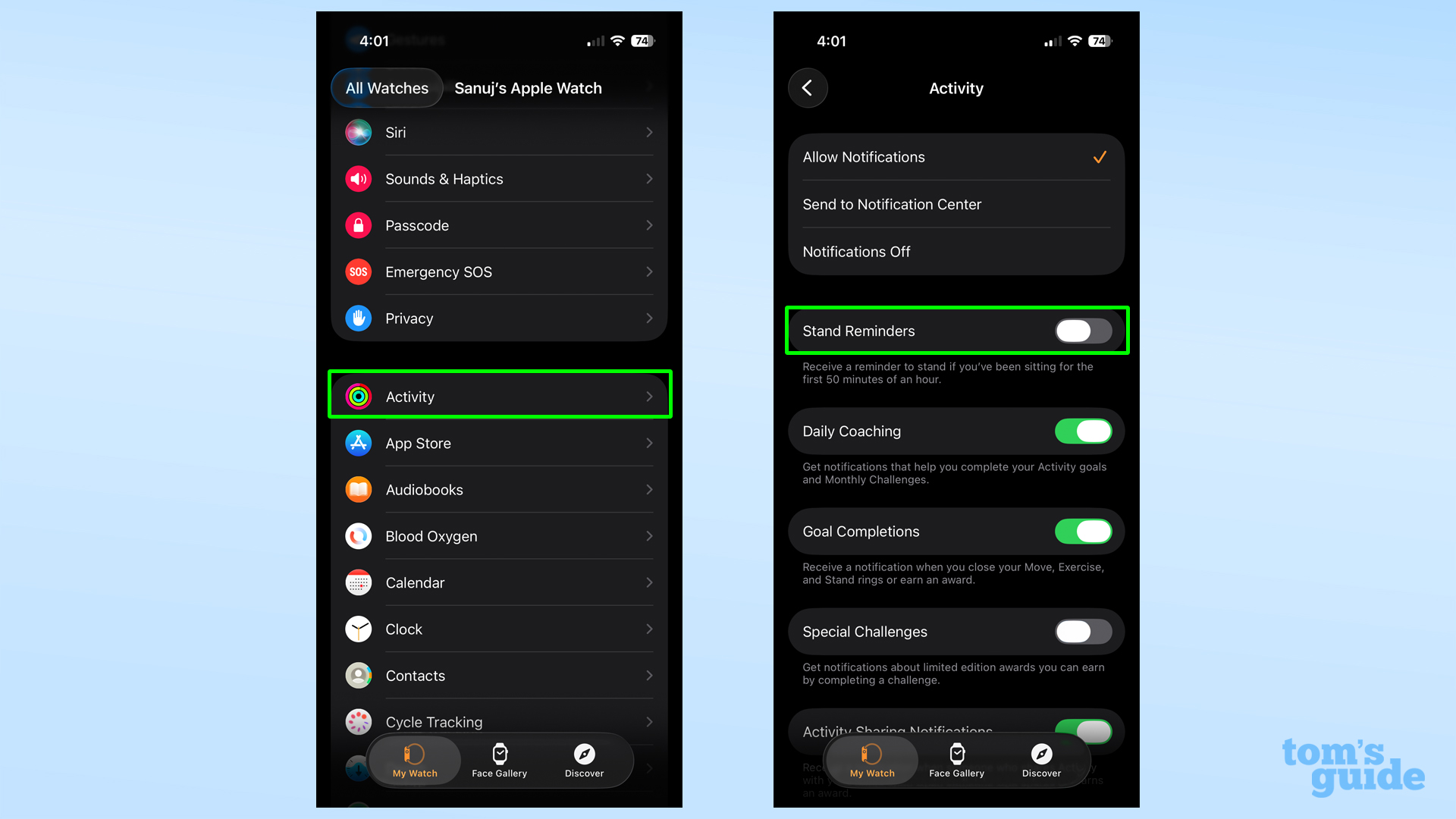
To do this, open the Watch app on your iPhone and head to Activity under the My Watch tab. From here, turn off Stand Reminders.
You can also disable alerts like Special Challenges and Daily Coaching if you do not want those notifications. I’ve got those turned off as well.
4. Use different watch faces for different places using Focus modes
(Image credit: Tom’s Guide / Sanuj Bhatia)
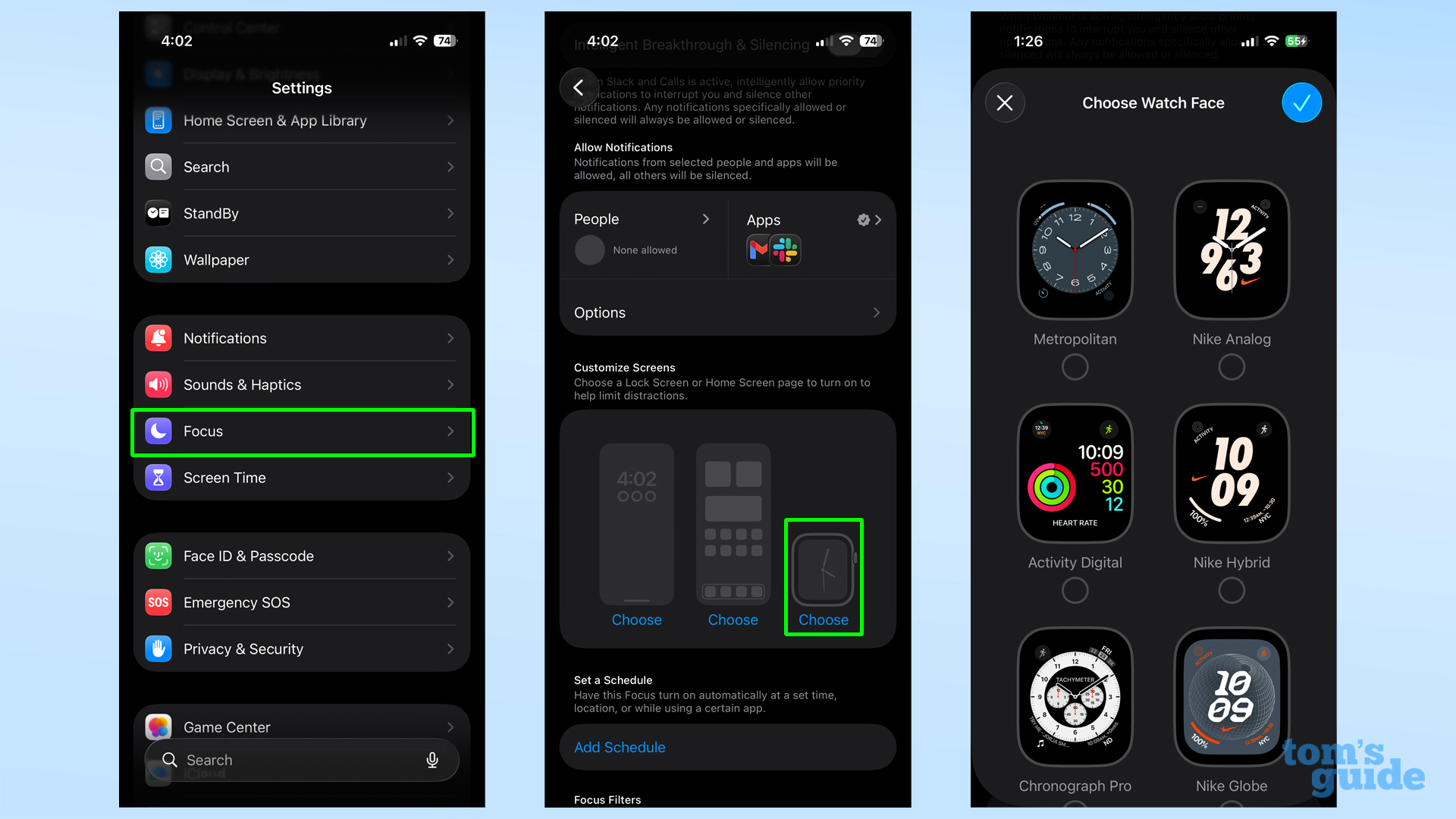
Apple Watch offers a wide range of watch faces, but most of us end up using just one or two at most. What many people don’t realize is that you can automatically switch watch faces based on where you are or what you are doing.
For example, I have a Nike Hybrid watch face set to appear when I am at the gym, with my regular everyday face returning when I am home. You can do the same for work, or any other routine location, each using an individual face with its own set of complications selected.
This, however, doesn’t work directly based on location or time of day alone. You’ll need to set this up using Focus modes on your iPhone.
When creating or editing a Focus mode in your iPhone’s Settings, you can choose a specific Apple Watch face and decide when that Focus should activate. Once set, your watch face will automatically change, along with the Focus mode.
5. Enable hypertension notifications
(Image credit: Tom’s Guide / Sanuj Bhatia)
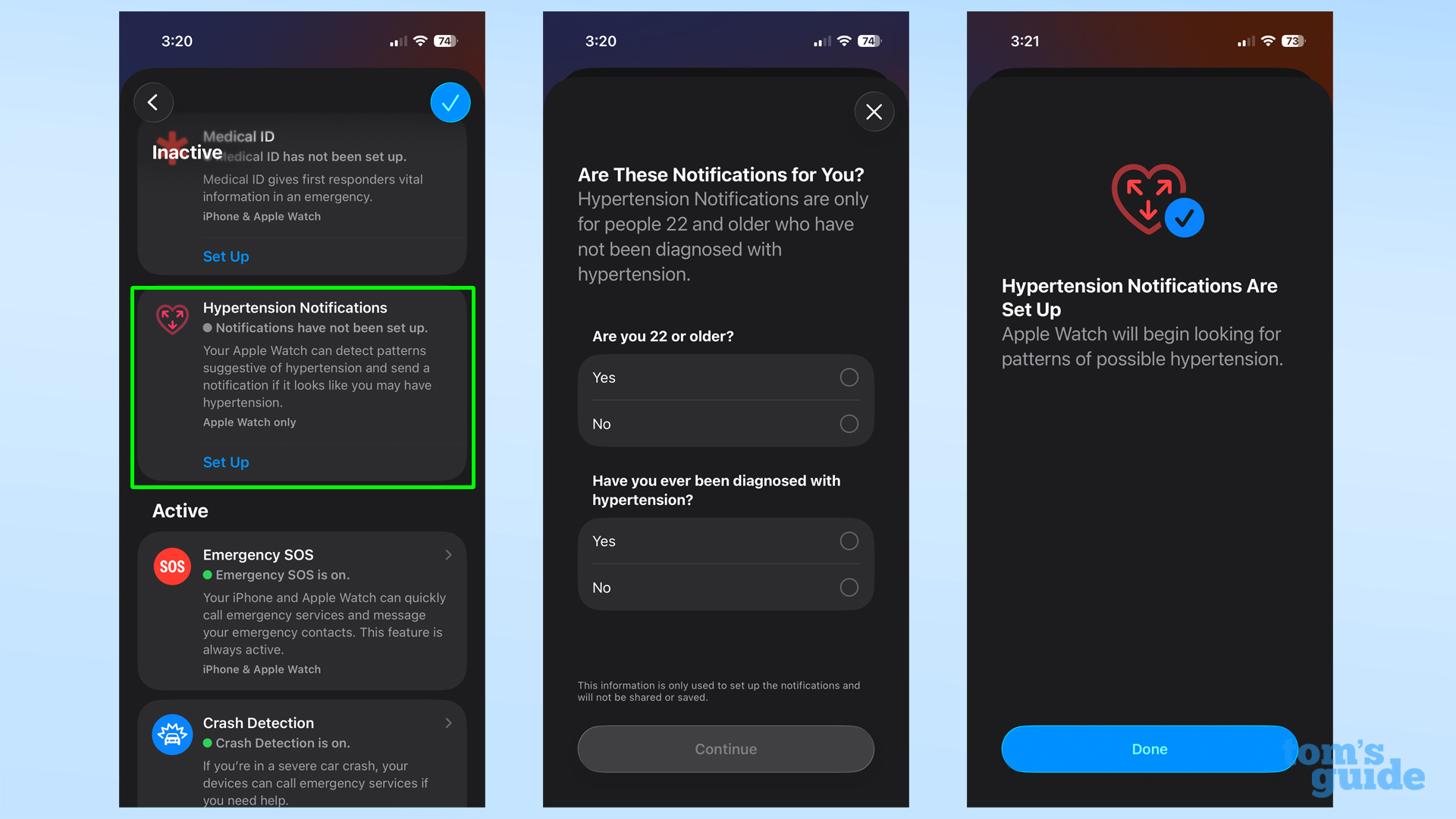
Apple recently added a new health feature to the Apple Watch that can flag potential hypertension, even though the Watch cannot directly measure blood pressure. Instead, it looks for patterns over a 30-day evaluation period and notifies you if it detects something unusual.
If you get a notification, it’s an early warning so you can consult a doctor. This feature is not enabled by default, though, so you’ll need to turn it on manually.
To enable it, open the Health app on your iPhone and tap your profile icon in the top corner. Go to Health Checklist and then Hypertension Notifications.
During setup, you will need to confirm your age (you must be 22 or older) and state whether you have already been diagnosed with hypertension. Once done, the feature will start monitoring in the background.
While the Apple Watch cannot tell you your exact blood pressure, having this enabled does add a bit of peace of mind.
6. Enable sleep apnea detection
(Image credit: Tom’s Guide / Sanuj Bhatia)
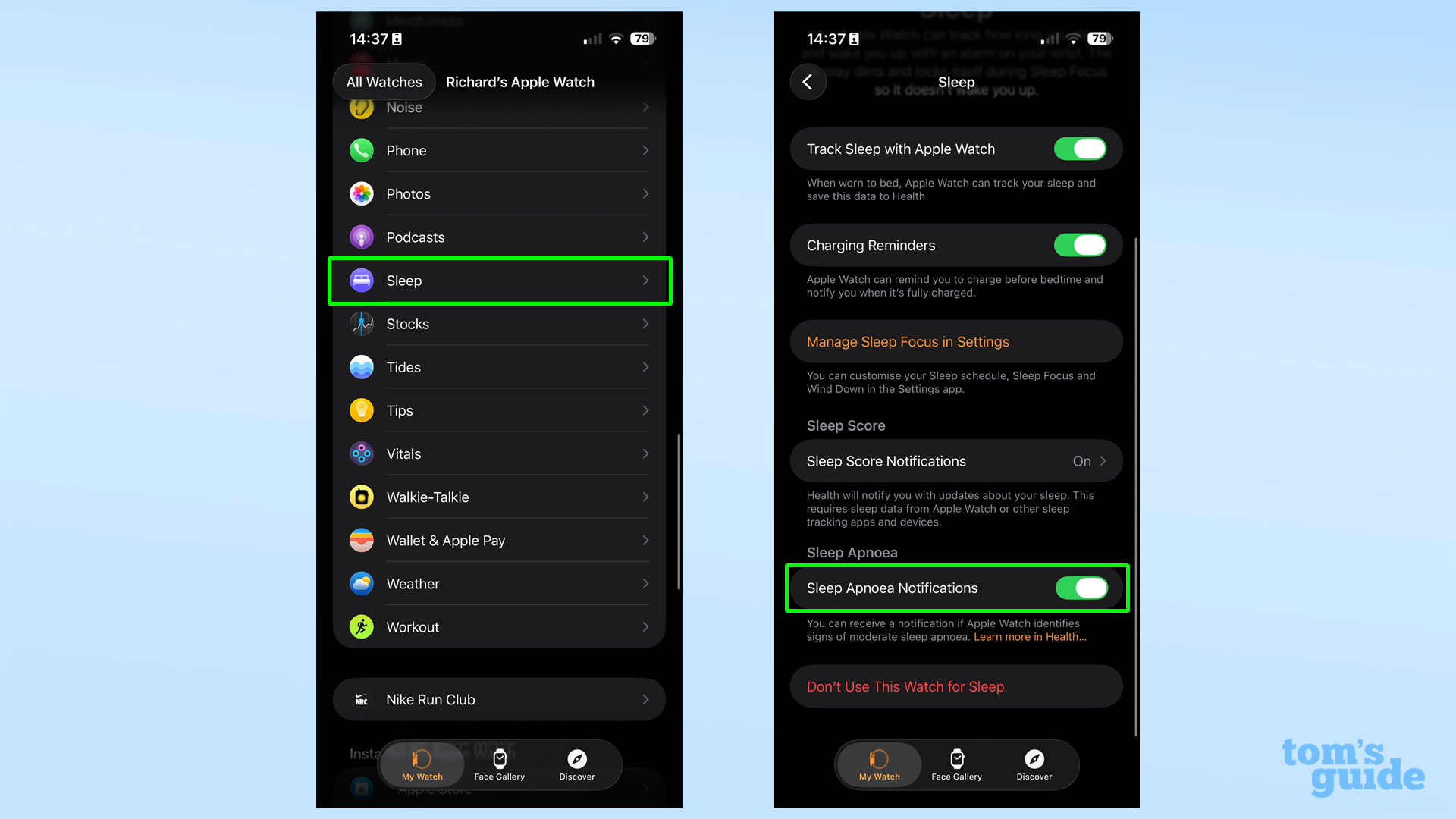
Another genuinely useful health feature that is oddly disabled by default is sleep apnea detection. The Apple Watch can monitor signs of sleep apnea, a respiratory condition in which breathing repeatedly stops and starts during sleep.
Just like hypertension notifications, this feature works over a 30-day monitoring period. Sleep apnea detection is only available on Apple Watch Series 9 and newer, Apple Watch Ultra 2 and newer, and Apple Watch SE 3. You also need to track your sleep with the watch for it to work.
To enable it, open the Health app on your iPhone, tap your profile icon, then go to Health Checklist. Scroll down, and you will see Sleep Apnea Detection. Go through the setup by confirming your age and whether you have previously been diagnosed with sleep apnea.
After each night of sleep, you can come back to this section to see whether your breathing disturbances were marked as elevated or not.
7. Enable fall detection
(Image credit: Tom’s Guide / Sanuj Bhatia)
Your Apple Watch can detect if you’ve taken a hard fall, something that can genuinely be a lifesaver, especially for older users.
When the watch detects a fall, it will sound an alarm and show an alert on the screen, giving you the option to call emergency services right away or simply tap to say “I’m OK” if you are fine.
If the watch detects that you have not moved for about a minute after the fall, it’ll automatically place an emergency call on your behalf. Of course, you can cancel this at any point if it was a false alarm.
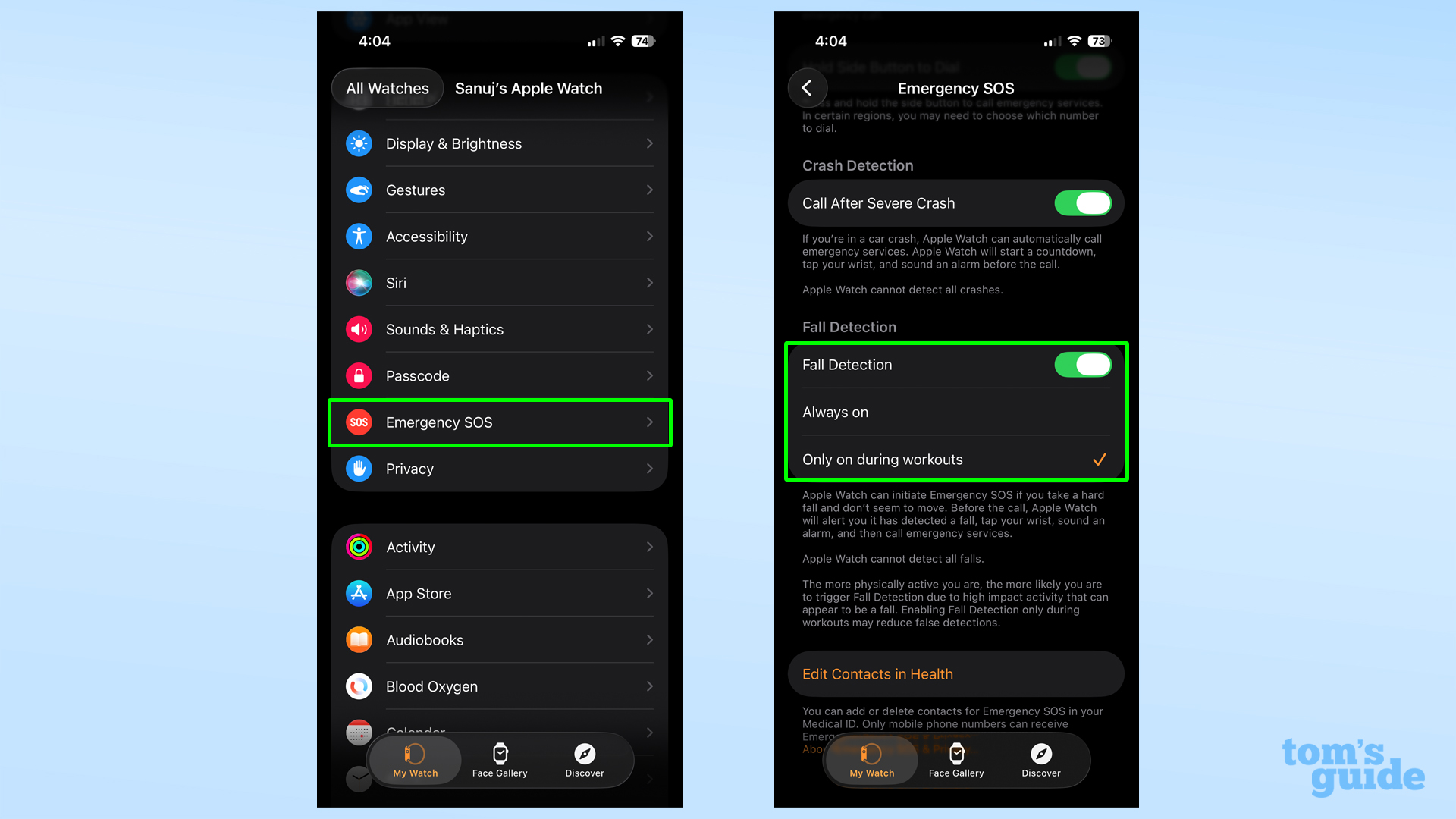
To enable fall detection, open the Watch app on your iPhone and go to the My Watch tab. From there, tap Emergency SOS and turn on Fall Detection. You can choose to keep it Always On or limit it to Only During Workouts, depending on how you use your watch.

Follow Tom’s Guide on Google News and add us as a preferred source to get our up-to-date news, analysis, and reviews in your feeds.
More from Tom’s Guide