
Google Play Store might be the default app store on Android, but the good thing about Android is that it gives you a choice. That includes the choice of the software store. Here are some alternatives to the Google Play Store worth checking out.
Aurora Store
What if the Play Store didn’t have Google
You can think of Aurora Store as an anonymous, open-source alternative to the Google Play Store. Any free app available on the Google Play Store is also available on the Aurora Store, where you can install it with one tap, and the Aurora Store keeps it updated for you. The only difference is that Google Play Store links to your Google account and tracks your app history, but Aurora Store lets you install the same apps without a Google account. It’s a community-driven project that respects your privacy and adds some neat little features absent in the official Play Store.
You can download Aurora Store from the official website or its GitHub repo as an APK file and install it on your device. You’ll want to grant the necessary permissions on the onboarding pages. It’ll show you a login page after that. Here you can either log in with your Google account or choose to log in anonymously. If you choose the Google account, you’ll be able to see your app history and lists inside the Aurora Store.
Once you’re in, it looks a lot like the Google Play Store. We have one tab for apps and another for games. Tapping an app takes you to the app’s page, which also looks like the Google Play Store. You can scroll through the changelog, app screenshots, ratings, reviews (pulled from the Play Store), and developer contact.
Note that Aurora Store notifies you of any embedded trackers in the app, which the Google Play Store doesn’t. It also tells you if an app can or cannot work without Google Play Services. Another feature I like is the “Manual Download” button. Basically, it lets you install any particular version of an app with just one tap. If you want to downgrade an app without losing any data, this is how you can do it. I wish the official Google Play Store client had this, too.
Just like the Google Play Store, you can update all your apps with one tap. The Aurora Store scans your installed apps and shows available updates. You can also add certain apps to a block list, so they never update.
There’s also a “spoof manager” feature, which lets you spoof the device and the region information, so you can access geo-locked apps. This store is purely for free apps and games, however. If you use any paid apps, you’ll have to use the official channels.
Obtanium
Go straight to the source
Obtanium is an unconventional app store in that it doesn’t rely on a standard, central repository to install apps. Instead, you can add apps to Obtanium to install and auto-update them.
Suppose you install an app from a website, and it’s not available anywhere else. If you had to update this app, normally, you’d manually download the newer package and install it yourself. Obtanium takes care of that work for you. You can add that app to the list of Obtanium apps (Obtanium supports some dozen app sources, including but not limited to website URLs). It’ll periodically check the site for any updated packages, and if it finds any, it’ll notify you. You can then download and install the app with one tap. If you want to go a step further, you can even configure Obtanium to automatically update apps without user intervention at any point.

You can also search for apps directly (from sources like GitLab, GitHub, F-Droid) and install them with one tap. These installed apps will become part of the Obtanium list, and you can automatically install them.

Software stores like F-Droid and Google Play Store usually take some time before approved updates from developers are published. So if you want to get updates as soon as they’re released, Obtanium makes it super easy.
You can install Obtanium from the official website or GitHub repo.
GitHub Store
A unique selection of apps
The GitHub Store is exactly what it sounds like. It scans GitHub repos for open-source software releases and shows them in a beautiful layout. The client is available for all major platforms, so when you install it on your Android device, you can filter apps by “Android.”
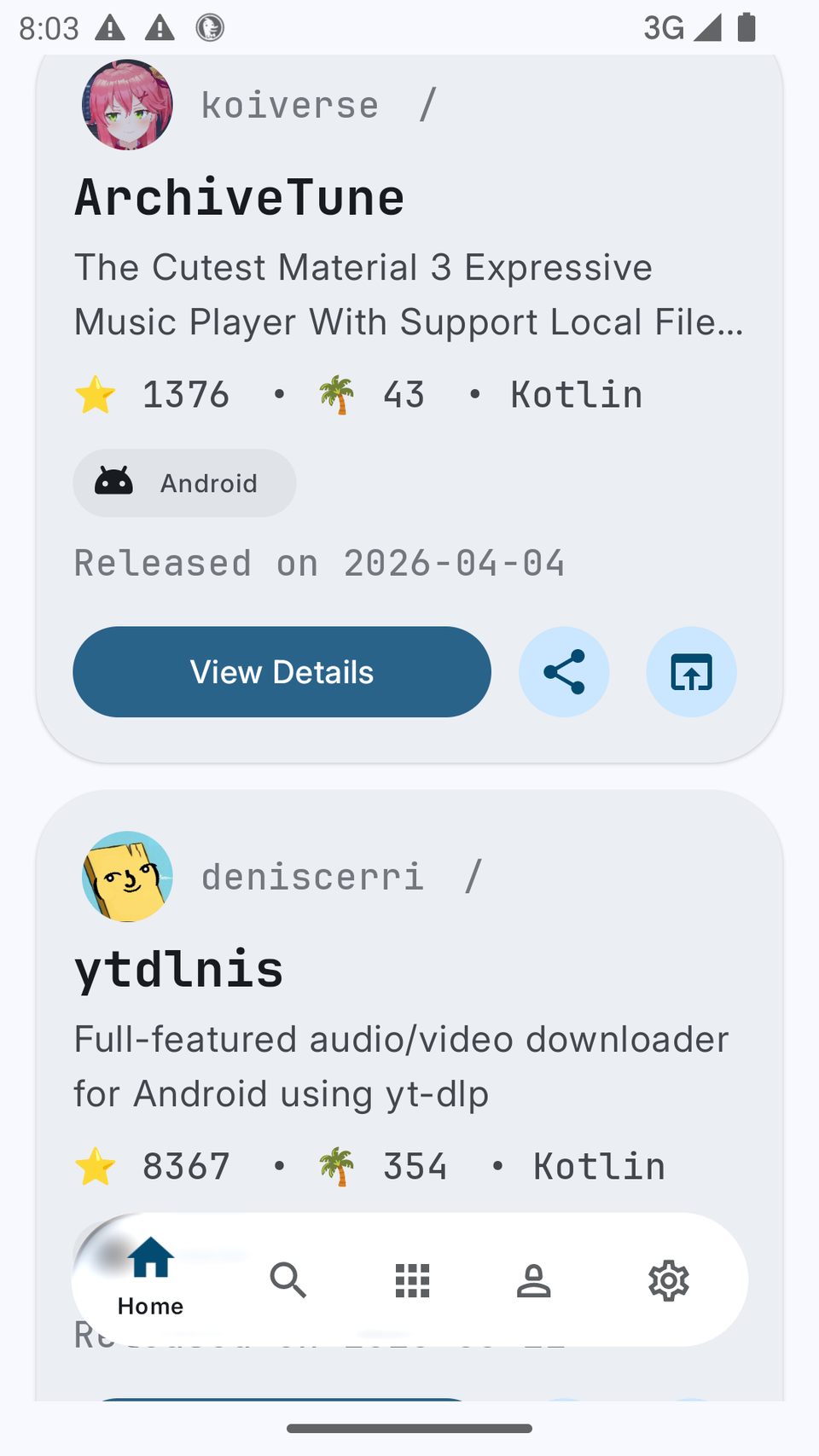
It lets you install apps with one click, and even integrates directly with Obtanium. If you like exploring obscure FOSS apps, this is the best place. I’ve never seen many of the apps on this store listed anywhere else.
You can install it from its official GitHub repo.
Neo Store
F-Droid but better
You may have heard of F-Droid. It’s the biggest store for free and open-source Android apps. Neo Store is just like that, except it’s prettier, and it has way more apps in its repositories.
If you’ve ever used F-Droid, you may have noticed that it takes quite some time to sync all the repositories and display available apps. Neo Store fixes that bug and syncs repos almost instantly.

In addition to all the apps available in the official F-Droid repos, you will also find apps from IzzyOnDroid on Neo Store by default. As opposed to F-Droid, which strictly only hosts open source apps, IzzyOnDroid repos have proprietary apps that you wouldn’t find in typical FOSS stores. There’s also the Guardian Project repo, enabled by default. There’s also a long list of other FOSS repos which you can manually enable, if you want to get access to even more apps.

You can configure the store to auto-update your installed apps (as long as they’re in the enabled repos) and even exclude apps using the “Ignore all new versions” toggle.

Google Play Store is great, but it’s not the only option
Google Play Store is far from the only source of apps if you’re on Android. The community has built quite a few alternative stores that are just as useful as Google’s store.