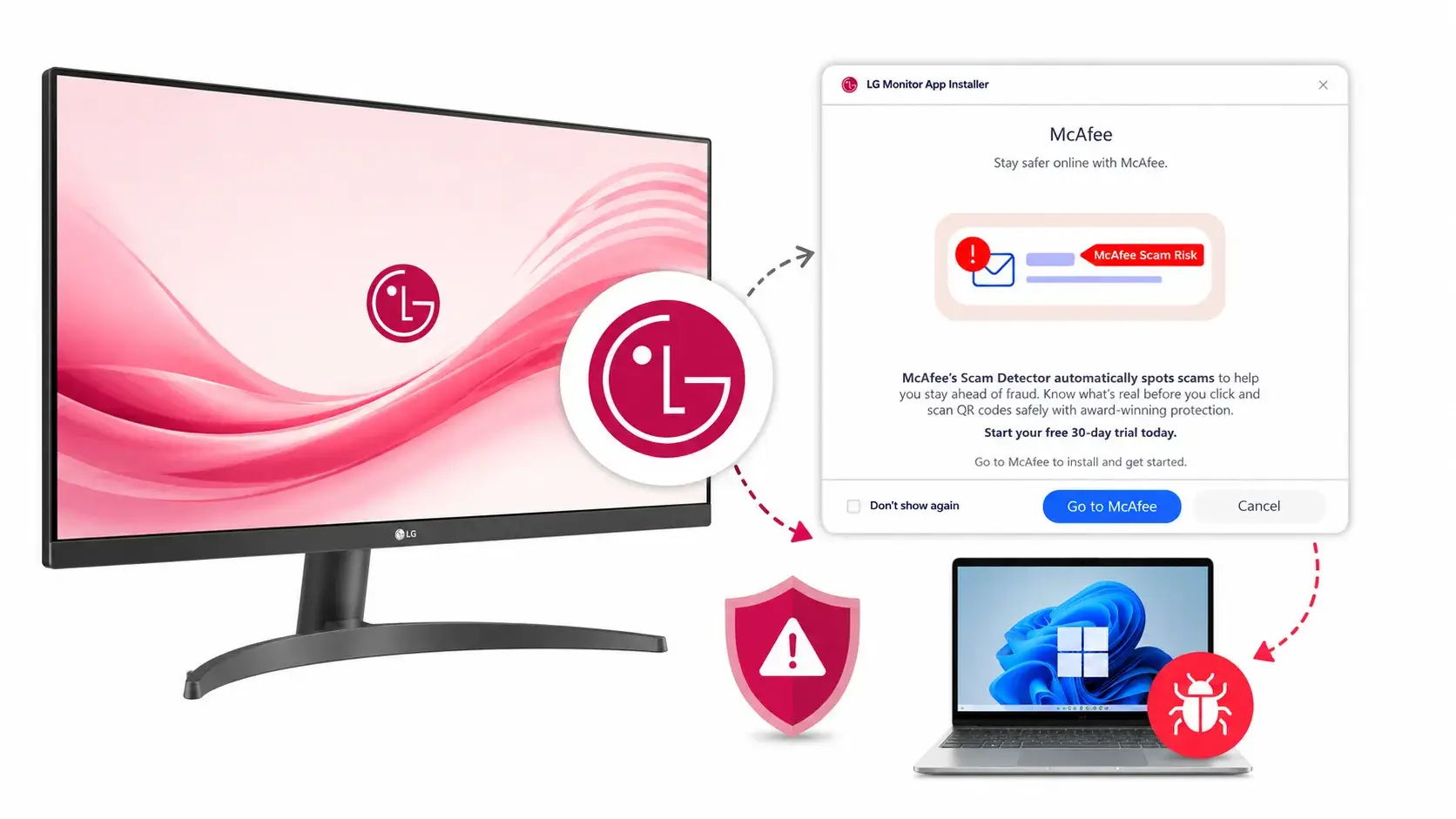
Concerns have arisen regarding LG monitors that reportedly trigger the silent installation of an LG companion application on Windows PCs.
This installation is followed by promotional prompts for a McAfee security trial, raising issues related to device-software delivery mechanisms, user consent, and the permissions granted to automatically installed applications.
Gamers Nexus, a YouTube hardware-testing outlet, documented this behavior, noting that connecting certain LG monitors to Windows systems caused Windows Update to retrieve and install the “LG Monitor App Installer.”
This application was reportedly deployed without an explicit user approval prompt, using Windows functionality designed to locate drivers and companion software for newly connected hardware automatically.
LG Monitors Silently Install McAfee Adware on PC
According to the International Cyber Digest, the LG Monitor App Installer requests access to “all system resources.” This broad permission scope is particularly troubling because the application can be installed via an automated device-installation workflow rather than a traditional user-driven Microsoft Store installation.
As a result, users may not have a meaningful opportunity to review the app, its permissions, or its intended behavior before it is present on their device.
Gamers Nexus reported observing this installation process on LG monitor models dating back as far as three years. The issue is not limited to newly purchased hardware; the outlet also found the behavior on monitors already in use in its own office.
After the LG software installation, users reportedly received advertisements for McAfee trials, making the first visible interaction with the software an advertising prompt rather than a permission or installation consent dialog.
This incident highlights a recurring risk within original equipment manufacturer (OEM) software ecosystems. Hardware vendors often bundle utilities for monitor configuration, firmware updates, color profiles, display management, and support.
However, the use of automated distribution channels for software that promotes third-party products, especially security software trials that users did not request, can be controversial.
Microsoft’s role also deserves scrutiny. Windows has long supported metadata and device experience workflows that can automatically download drivers and companion applications when peripherals are connected.
While this mechanism is useful for installing essential components, such as printer drivers and audio control panels, the LG case demonstrates how a trusted system-level delivery path can blur the line between necessary device support and monetized software distribution.
The declaration of “all system resources” does not, in itself, indicate malicious activity; however, it suggests extensive potential access and should prompt users and enterprise administrators to evaluate whether the application is necessary.
Organizations managing Windows fleets may want to review installed applications, Microsoft Store deployment policies, Windows Update behavior, and restrictions on device installation for unmanaged peripherals.
Affected users can check the Windows Installed Apps list for LG monitor-related utilities and uninstall any software they do not need. Administrators should monitor for unexpected app deployments following new hardware connections and consider limiting automatic companion app installations where operationally feasible.
As of the time of reporting, LG had not publicly responded to the findings. This case underscores the broader principle that peripheral software should be transparent, purpose-limited, and installed only with informed user consent, particularly when it requires broad system permissions and introduces advertisements onto a Windows endpoint.
Strengthen Your SOC by Accelerating Threat Detection & Rapid Investigations. -> Integrate ANY.RUN With Your SOC Now.