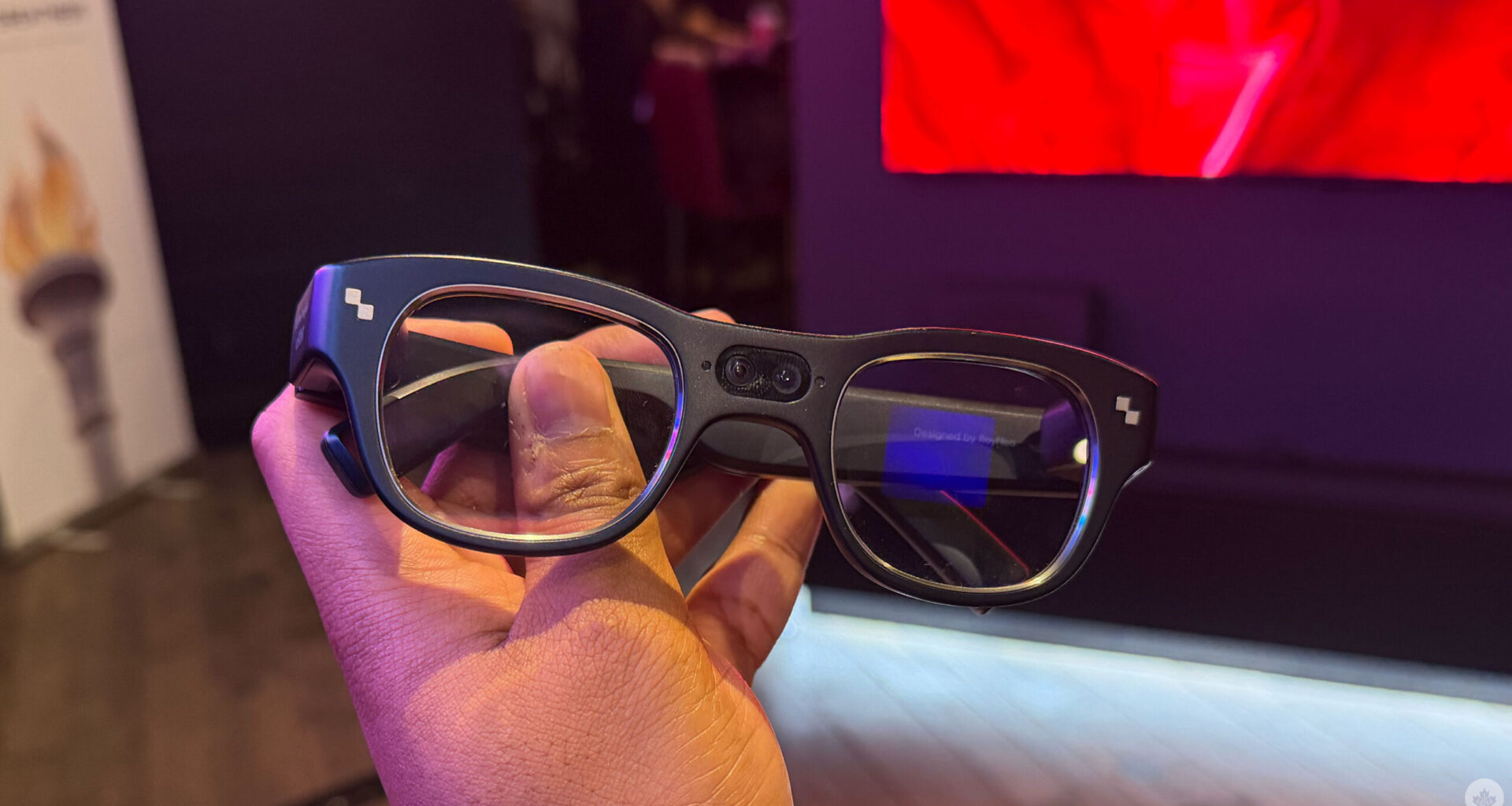
At CES 2026, I finally got my hands on TCL’s RayNeo X3 Pro AI+AR smart glasses. These smartglasses are already available on the market at US$1,299 (C$1,800) — though they’re currently on sale for $1,099 (C$1,523) — but we unfortunately haven’t gotten the chance to take a look at them until now.
In my ten-minute session with the device, I could totally see the appeal, and I enjoyed the experience. In the past, I’ve played around with the Meta Display and used an Android XR concept device, and the RayNeo X3 has a pretty big difference from these other two smartglasses, as they feature a visual display on both lenses instead of just one lens like the Display. TCL says that this is better for the user and puts less stress on the user’s eyes. I haven’t worn the other smartglasses long enough to experience eye strain, but speaking to other media, it does seem to be an annoyance. I found the display on both lenses pretty comfortable, though.
The RayNeo X3 Pro’s display area is centred, and slightly below your eyeline, which means it doesn’t really get in the way when you’re looking around. I love how bright the glasses’ UI can get at up to 6,000 nits. In the dark room I was in, I definitely didn’t need to pump up the brightness at all; in fact, pushing it to the max was a little too bright, but maybe if I were outdoors in bright sunlight, this would be necessary.
The RayNeo X3 Pro has touch controls on the right side, letting you swipe left, right, up or down. It took me a few minutes to get used to them, but once I got the hang of them, they were intuitive. I think the device needs a dedicated home button or home gesture, but besides that, the controls were solid.
The home screen is pretty basic and doesn’t have a lot of bloat, thankfully. You can see some quick settings, like Wi-Fi connection and Bluetooth, and you have access to your RayNeo assistant. A swipe to the left brings up your notifications. A swipe to the right, you’ll find all your apps. You tap once to select an app, but it’s kind of when you lift your finger off the touchpad that the app actually gets selected. And honestly, this was the part of the navigation that took me the longest to get the hang of. It took me a few tries to get the hang of it. When you double-tap, it goes back to the screen before, and holding down on the touchpad brings you to your Quick Settings to control connectivity and brightness.
There are also physical buttons on the right arm, one at the top for taking photos or videos and the other for turning the screen on or off. You can also choose to have the top button perform other actions, like immediately turning on a translation feature. The left arm also has a touch-sensitive area for media controls. You can also control the device from your phone with the RayNeo app, or even connect it to your Apple Watch — I can’t wait to try that out.

Unfortunately, the room where I was using the device didn’t have good Wi-Fi connectivity (like a lot of places at CES), so I couldn’t try any of the online functionalities, like the translation feature or use the RayNeo assistant. However, the RayNeo Assistant is powered by Google Gemini 2.5, so you’re able to ask it the weather or pretty much anything you’d ask Gemini. The device uses its own RayNeo AI operating system, which seemed odd at first since Android XR is right there, but I’m guessing it’s because that allows the RayNeo X3 Pro to connect to both Android and iOS devices — smart move on their part. You can also download other apps, but this experience is a lot easier on Android, as you’ll need to sideload APKs. This isn’t impossible on iOS, but you’ll need to use your Mac and follow a bunch of other steps.
The RayNeo X3 Pro is heavier than my Meta Ray Ban 2, but that’s not surprising considering the Meta Ray Bans don’t have screens. However, I found them pretty comfortable to wear during my 10-minute demo — even a bit more comfortable than my glasses because of the arms.
They look pretty techy with the cameras in the middle. Often, people don’t notice that I’m wearing smartglasses with the Meta Ray Bans, but that’s definitely not going to be the case with the RayNeo X3 Pro. Not saying they look bad, but it’s definitely not as discreet as the Metas. However, that might be a bonus for some people, as some people find the Metas a bit creepy.

You can also play games on the device. I tried the glasses’ version of Pong, and it’s surprisingly fun as it requires you to move your head around to hit the ball. It’s silly, and I can’t imagine myself doing this a lot, but maybe if I’m bored on a long commute, this could suck up five minutes — especially since I was pretty bad and I hate losing too many times.
Other specs include a display resolution of 640 x 480 pixels, 12-megapixel cameras, the Snapdragon AR1 processor, a full-colour map for navigation and the ability to translate up to 14 languages.
I have to put the RayNeo X3 Pro through its paces before saying anything concrete about the device, but it feels like the next era of smartglasses is definitely on the horizon.
MobileSyrup may earn a commission from purchases made via our links, which helps fund the journalism we provide free on our website. These links do not influence our editorial content. Support us here.