iOS 26 brings visual intelligence to screenshots, enabling several new features. But there’s one I only recently discovered that solves the common problem of plain text URLs you can’t easily tap to open.
iOS 26 can turn plain text URLs into tappable links via screenshots
Have you ever encountered a URL online that you wanted to open, but it’s in plain text with no easy way to copy/paste?
For me, this commonly happens when browsing Instagram. Since the social network doesn’t allow hyperlinks in captions or replies, you’ll typically see one of two things:
- “Link in profile”
- or a plain text URL that’s inconvenient to use
The latter has become less common in the last couple years, but I still encounter it on a regular basis.
And in iOS 26, Apple has added a very convenient solution.
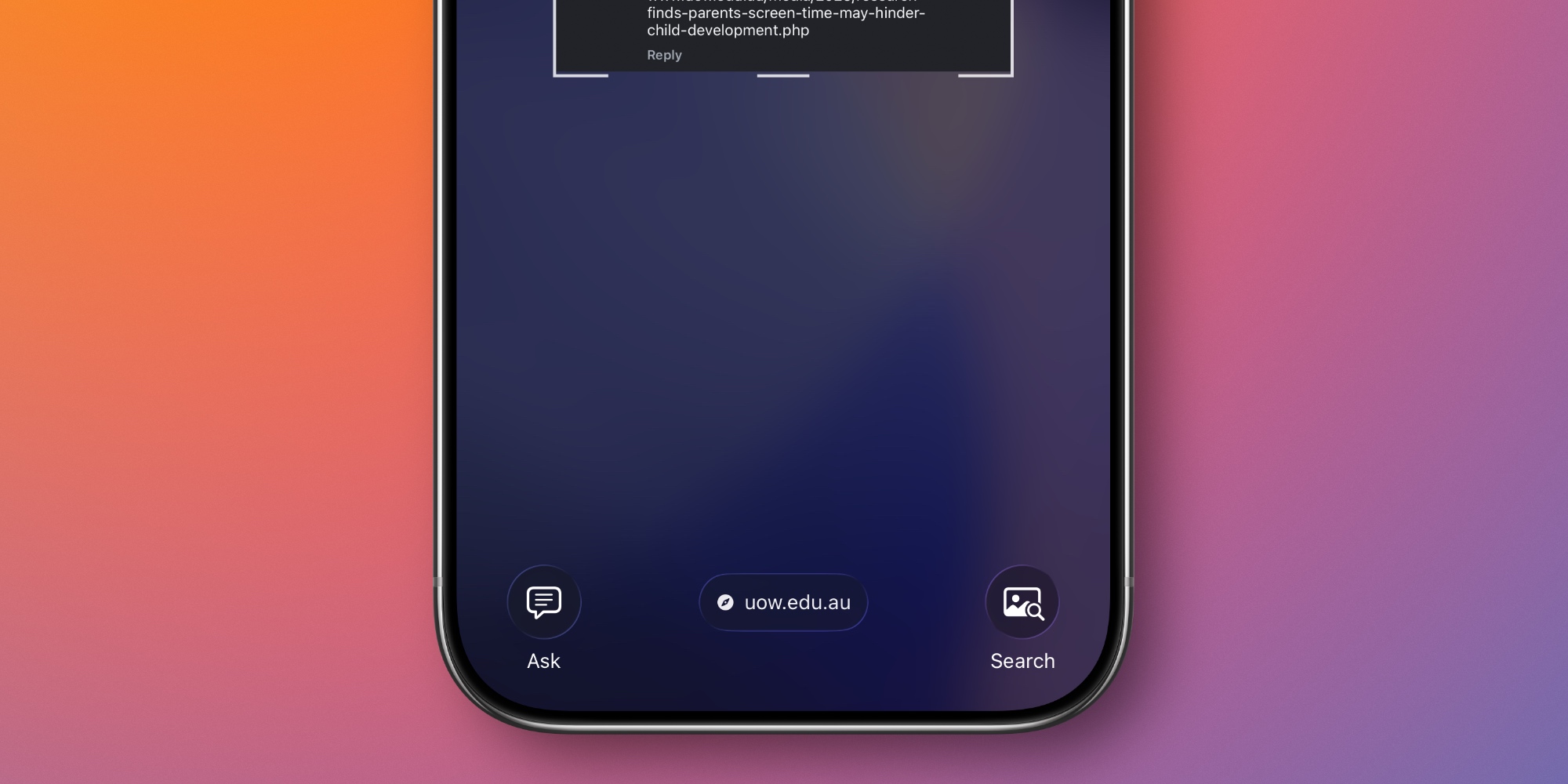
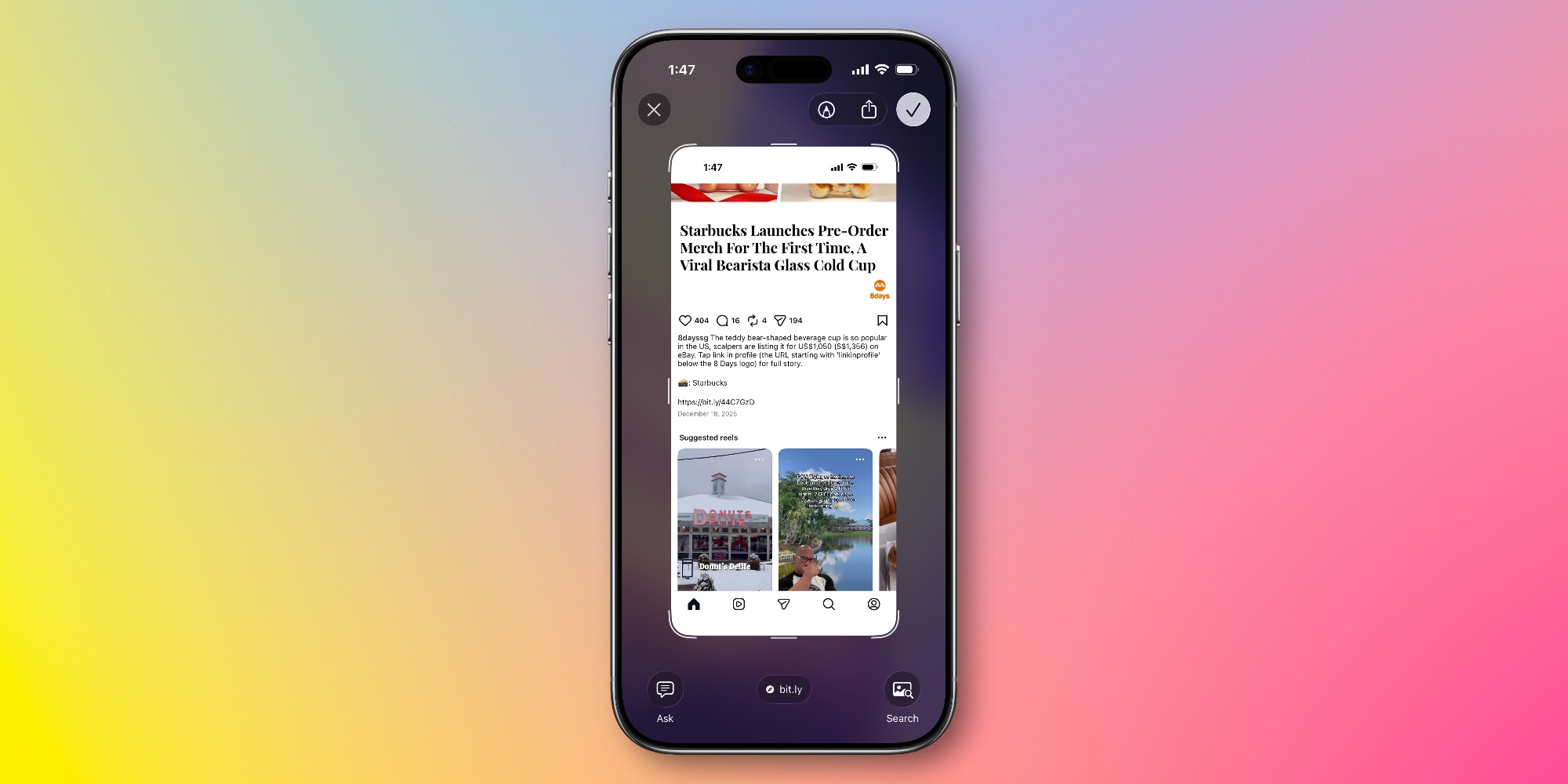
Take a screenshot, and thanks to Apple’s new visual intelligence AI feature, your iPhone will provide a hyperlinked version of the URL that you can open with one tap.
iOS 26 uses AI to detect the URL in your screenshot, then at the bottom of the screen provides a tappable link for your convenience.
To benefit from this feature, you need an AI-compatible iPhone like an iPhone 17, iPhone 16, or an iPhone 15 Pro.
By default, screenshots in iOS 26 take you straight to the fullscreen UI where you’ll see this link at the bottom.
But if you’ve opted to revert to the iOS 18 behavior of screenshots only appearing as a small thumbnail in the bottom-left corner, you’ll need to first tap that thumbnail to load the fullscreen view.
Did you know this screenshot feature existed in iOS 26? How has it been working for you? Let us know in the comments.
Best iPhone accessories


FTC: We use income earning auto affiliate links. More.