
The Apple AirTag is marketed as a dead-simple tracker, the kind you set once and forget.
But like a lot of Apple gear, some of its best features need to be sought out.
Now a US tech YouTuber says you’re probably missing one of the most useful ones.
And it completely changes how you find lost items.
DISCOVER SBX CARS – The global premium auction platform powered by Supercar Blondie
The AirTag trick Apple doesn’t walk you through
In a recent video, creator HotshotTek points out something Apple never really spells out: you can precision-track your AirTag straight from your wrist.
If you’ve got an Apple Watch Series 9 or newer, including the Ultra 2 and Ultra 3, you don’t actually need to pull out your iPhone at all.
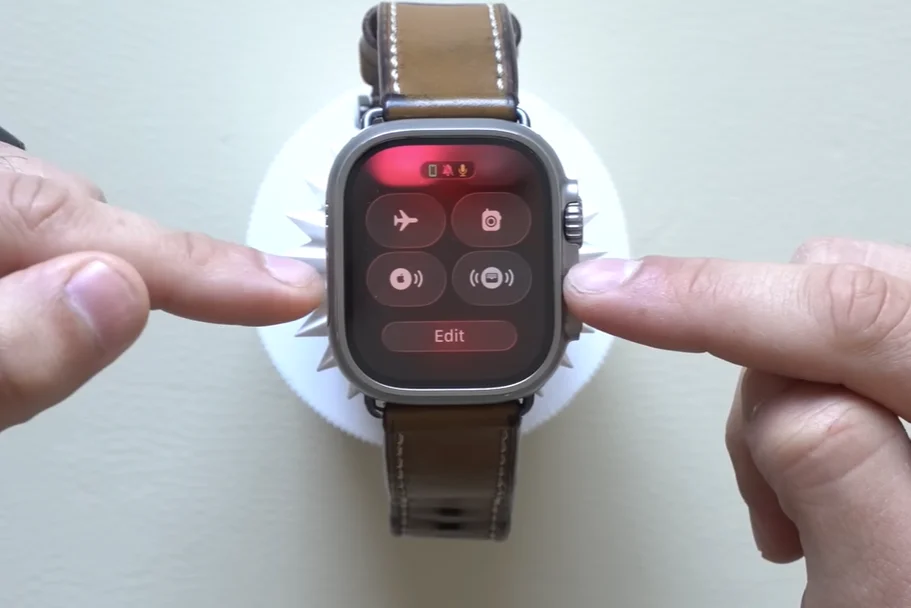
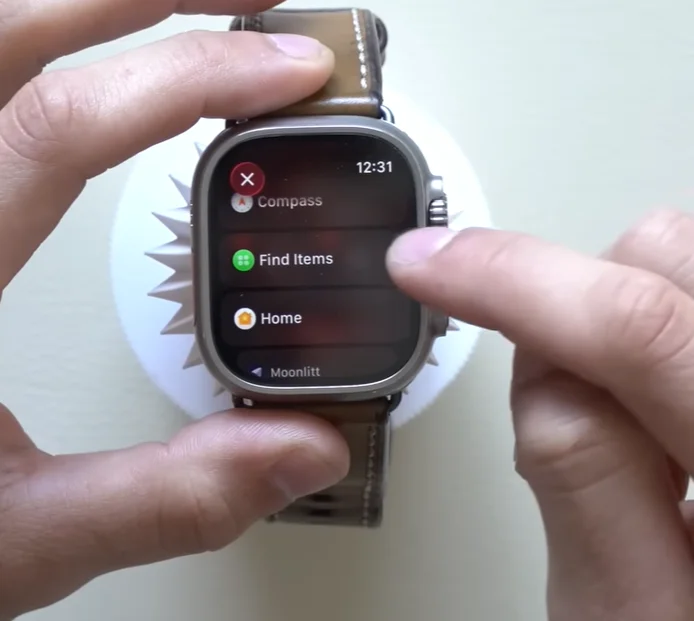
Once it’s set up, the Find Items shortcut lives right inside the Control Center on your watch.
The catch is that Apple never shows you how to enable it.
 HotshotTek
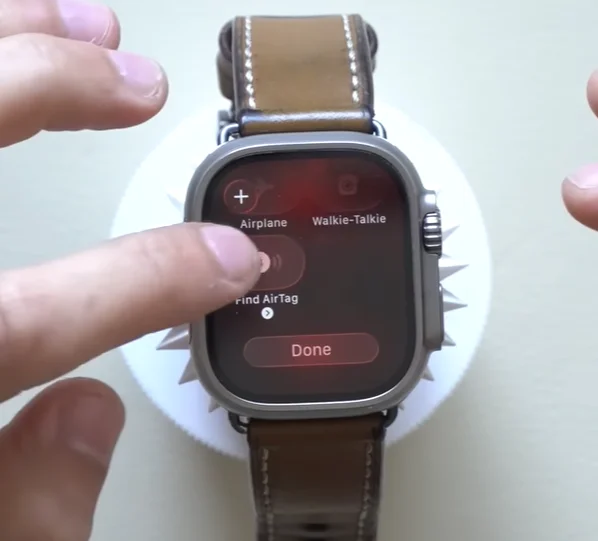
You have to jump into your Control Center settings, add the Find Items shortcut yourself, and then choose which AirTag you want to track.
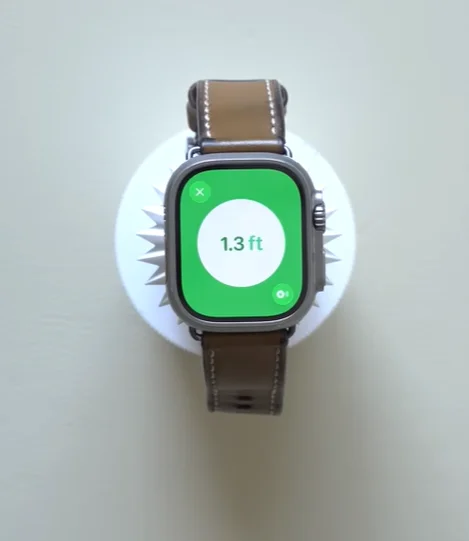
Do that once and the next time your keys or wallet vanish, you can start precision finding instantly from your watch.
It uses the Ultra Wideband tech built into the second-generation AirTag, so you get directional guidance rather than a vague somewhere-nearby dot.
 HotshotTek
 HotshotTek
 HotshotTek
There’s even a small visual cue that tells you whether the item is above or below you, which helps a lot in multi-story buildings.
HotshotTek admits it’s still a bit buggy and crashed a couple of times during setup.
Still, when it works, it’s faster than opening the Find My app on your phone and digging through menus.
For something you might use every day, that’s a big upgrade.
 HotshotTek
 HotshotTek
Click the star icon next to supercarblondie.com in Google Search to stay ahead of the curve on the latest and greatest supercars, hypercars, and ground-breaking technology
The battery-saving trick you probably didn’t know
The other overlooked trick is far simpler, but just as practical.
AirTags slowly drain their batteries even when they’re not actively being used.
If you’ve got spare trackers sitting in a drawer, they’re burning power for no real reason.
But the workaround is easy.
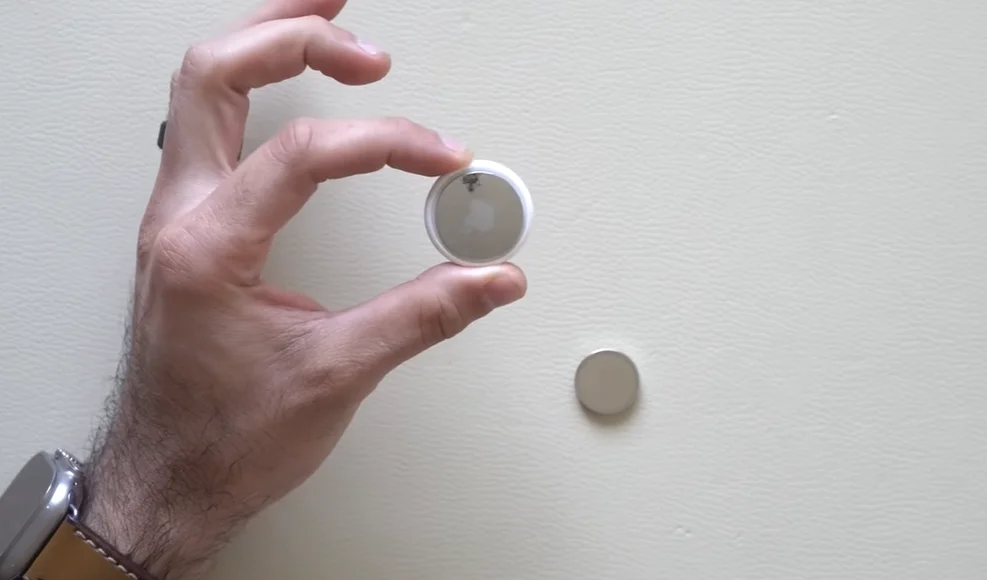 HotshotTek
Twist off the back plate, remove the battery, then place it loosely inside using the small internal magnet to hold it in place.
Put the cover back on and the AirTag stays completely dormant until you actually need it again.
It’s especially handy for people who rotate AirTags between different items, or anyone who owns a few backups.
Instead of replacing batteries every year regardless, you can stretch their lifespan much further with a two-second habit.
Neither of these tricks is complicated, and neither requires extra hardware.
DISCOVER SBX CARS:
The global premium car auction platform powered by Supercar Blondie