The new year brings new promises, and, as tradition dictates, new resolutions that we all hope to keep beyond the first week of January. But if you find it difficult to stick to your habits, all hope is not lost. Every year, I try out apps that can help me stick to my New Year’s resolutions and build good habits—here are my top picks for 2026.
Habit Tracker for sticking to routines
One of the apps I use to keep an eye on my daily routine while building healthy habits is Habit Tracker (iOS). This habit planner and tracker offers a very intuitive interface that makes it easy to use and log your progress. It features a comprehensive planner with a calendar view, customizable tracking with units (for things like water and food), smart reminders, a mood tracker, and habit reports. Logging habits like meditation come with timers that you can use in the app, along with graphics that show how much of a task you’ve completed for the day.
You can also add Habit Tracker’s interactive widgets to log your routine from your home screen. Habit Tracker also allows for collaboration with its Group feature, which you can use to track your habits along with friends and family. The app can be connected with your phone’s Health app to track things like water intake, mood, and sleep.
Akiflow for task management
If you want to manage all your resolutions by breaking them down into manageable tasks, there’s no better way to oversee your day than with a task management app. Akiflow (iOS, Android) is a good one to try, especially if you want to manage work-related tasks, serving as a one-stop app for digital planning, scheduling, and time blocking. It supports features like a compact, synced calendar, drag-and-drop task boxes for planning, to-do lists, and an AI-powered task manager to help plan the day better.

Related
8 Free iPhone Apps That Changed How I Organize My Life
Keep all your things in order without stress.
Akiflow supports over 3,000 apps and tools like Slack, Asana, and Outlook, so you can directly import tasks from these third-party platforms for better planning. The app is free to download but requires a subscription ($34/month on a monthly plan or $19/month on a yearly plan), and you can try its 7-day free trial before committing. Alternatively, you can check out task management apps that offer limited free features to compare.
Superlist to create lists
Superlist (iOS, Android) is a productivity app intended for work tasks that I’ve actually been using to make personal lists that I can use to further my resolutions. While you can perform task management through the app, its list feature stands out because of how intuitive it feels to create new lists. Each list can be labelled with priority, due date, and time, and shared with collaborators if needed. Superlist is great for work or study, but you can also create things like work lists, grocery lists, shopping lists, and more to monitor any financial or health resolutions you may have taken for the year.
Another reason why Superlist is powerful is its efficiency, since you can create quick lists using its Talk feature, which allows you to create multiple tasks and lists with voice commands. After you create a list, you can pin it to the sidebar for easy access, with the app automatically creating tasks out of your lists. Apart from lists, Superlist also lets you add normal tasks, view your inbox for reminders, and monitor your calendar.
Hevy for workout planning
For all your fitness-related resolutions that involve consistent workouts, especially if you are into strength training, Hevy (iOS, Android) is one of the best workout trackers to try out. The workout app has a simple interface, stripping away intimidation for beginners.
You can build a custom routine involving multiple exercises (movements range from compound lifting to aerobics and cardio), then open up the app when you start working out to log weights per set, reps, duration, and other advanced data like one rep max, session volume, and heaviest weight. Alternatively, you can start an empty workout if you’re deviating from your normal workout routine.
Related
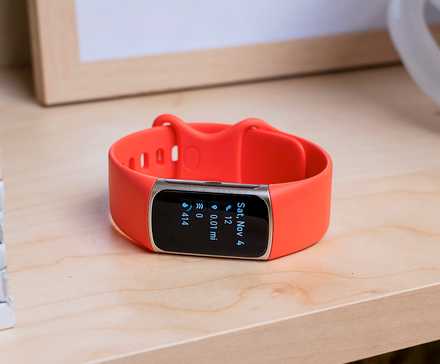
3 Fitness Gadgets That Will Make Your New Year’s Resolutions Fun
Trying to get healthier this year? These three gadgets will make reaching your goals easier (and more fun!).
Beyond tracking my daily workout, I also like that Hevy shows my lifting stats over time in a comprehensive dashboard so I can take a quick look at my progress. Hevy also allows for community with athletes, and you can follow other members to see their workout routines and tips.
Day One for journaling
Beyond habit building and working out, my resolutions for 2026 involve taking better care of my mental health, and journaling is a tool that helps. While I like using my iPhone’s Journal app, Day One (iOS, Android) is another app I’ve been playing around with to log my daily journal entries. With this digital journal, you can make your daily diary entries from scratch, with tools like templates, suggestions, and prompts enabling easy journaling.
Like other journaling tools, Day One lets you add elements like photos and audio to entries. What I really like about Day One in the context of New Year’s resolutions is its prompt packs, which include 2026-themed prompts (for instance, “The year ahead” and “Look back on 2025”) to help you map out your goals and thoughts for the year. Day One also tracks your journaling stats, delivers daily prompts, tracks your streak, and helps build custom templates for repeat use.
There are many habit-building and productivity apps (even gamified ones if you’re looking for something more fun) you can use to stick to your resolutions for the year, so don’t forget to experiment to find what works best for you.