
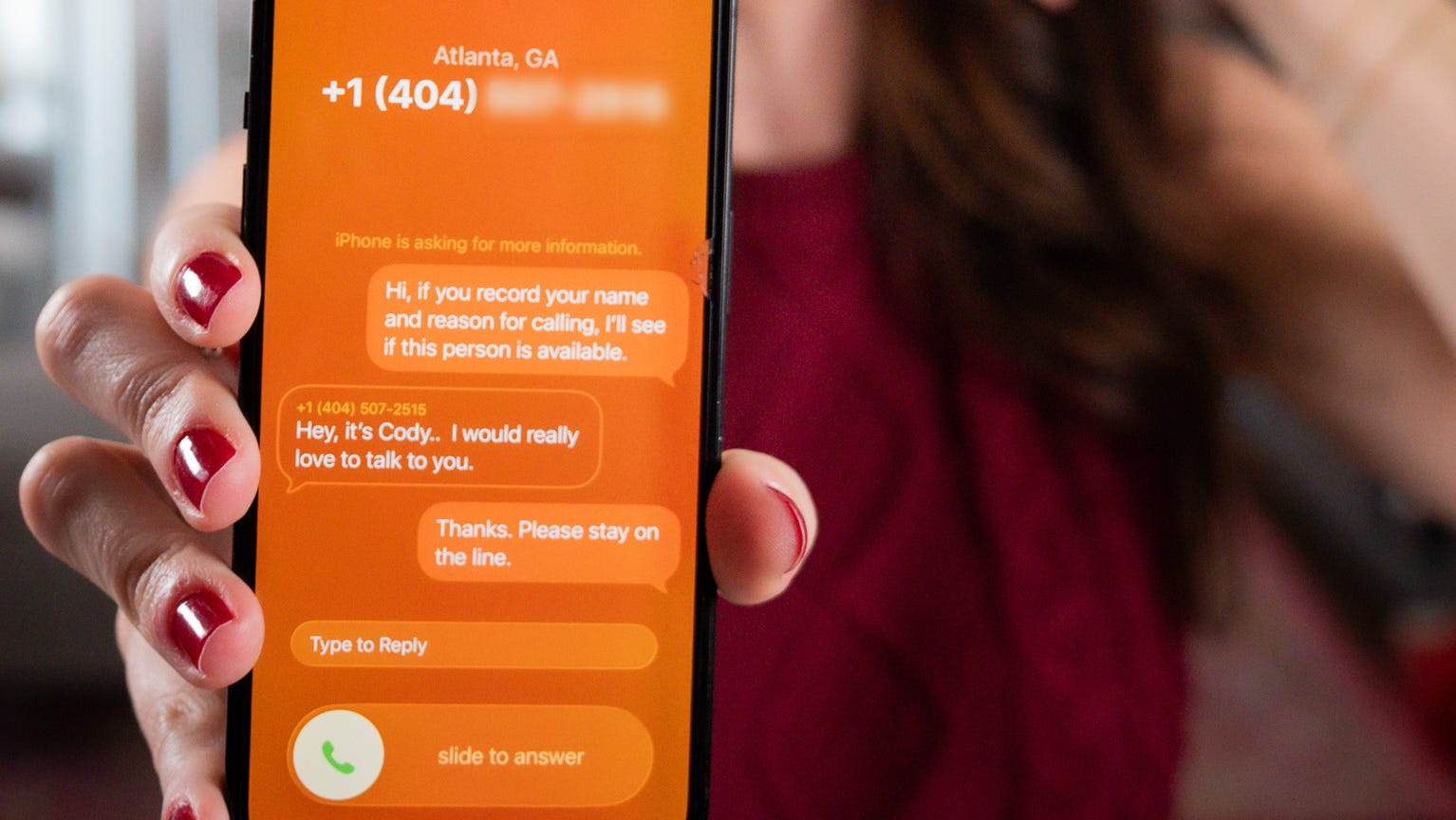

How your iPhone can screen calls, sit on hold for you
Apple’s iOS 26 gives your iPhone the power to screen unknown callers and hold your place in line.
Problem Solved
The new Apple iOS 26.2 update is coming out soon, replacing the current iOS 26.1 operating system for the iPhone and iPad with a fresh new iOS 26 release, including new features, improvements and upgrades to battery power, sleep tracking, and the Liquid Glass and Split Screen features.
Unsure if you should install iOS 26.1? Ahead of Apple’s iOS 26.2 release today, Dec. 10, and no later than next week, iPhone users who haven’t upgraded from iOS 18 to iOS 26.1 are recommended to do so soon. The latest Apple update improves the latest release of Apple’s iOS 26, which users downloaded in September. Here’s what to know.
Apple iOS 26.2 release date
Apple iOS 26.2 update is coming out as soon as today, Dec. 10, 2025, and likely no later than Monday, Dec. 15, or Tuesday, Dec. 2025, per AppleHeadlines. On Dec. 3, Apple revealed the iOS 26.2 release candidate (RC version) to developers, meaning a public release is imminent.
What’s new in iOS 26.2? Updates, features
Apple iOS 26.2 has several new features, with a fix to the transparency of Liquid Glass, the slider for the lock screen. Apple users aren’t thrilled with Liquid Glass, namely for its readability difficulties, visual “dizzying” effects and massive drain on battery power.
Updates are also coming to the Reminders app, a recalibration to the Sleep Score app, and Apple Podcasts will see updates to their AI-powered features. There are also upgrades to Apple Music lyrics, Apple News, AirDrop, and Freeform.
Should I download iOS 26.1?
Yes, if you have an iPhone 11 and onwards capable of downloading iOS 26, then Apple says it is best to update your phone from iOS 18 to iOS 26.1 (which came out in September). This will help prepare for the new 26.2 launch.
Can I still use iOS 18?
Apple isn’t forcing users to update to iOS 26 and users have been able to stay on prior-generation versions of iOS since iOS 15; however, it doesn’t last forever. Apple appears to be “pushing” users to update to iOS 26, moving the newer software update in place of the iOS 18 version under Settings on their iPhones in recent days. Tech experts say customers who want to stay on top of security fixes will need to transition to iOS 26, though Apple still provides support for those only able to run iOS 18.
Can I go back to iOS 18 from 26?
No. Once you upgrade your iPhone or iPad to iOS 26, Apple does not let you downgrade to iOS 18.
Why did Apple jump from iOS 18 to 26?
Apple went from iOS 18 to iOS 26 to align the iPhone operating system with their other devices, including the iPadOS, macOS, and watchOS, according to The Tab. It also aligns with the year the upgrade will mostly be used: 2026 (which somewhat aligns with how cars are released).
When did iOS 26 come out?
The current version of iOS 26 is iOS 26.1, which released in November. iOS 26 was announced in June and released on Sept. 15, 2025.
Can you turn off Apple Liquid Glass?
Unfortunately, Apple’s Liquid Glass feature became a permanent fixture during Apple’s iOS 26 update, but there are ways to mitigate the effects by lowering transparency. Go to your iPhone’s settings -> Accessibility -> Display & Text Size -> Slide “Reduce Transparency” to “On.” Also try increasing contrast for any readability issues.
Lori Comstock is a New Jersey-based journalist with the Mid-Atlantic Connect Team.