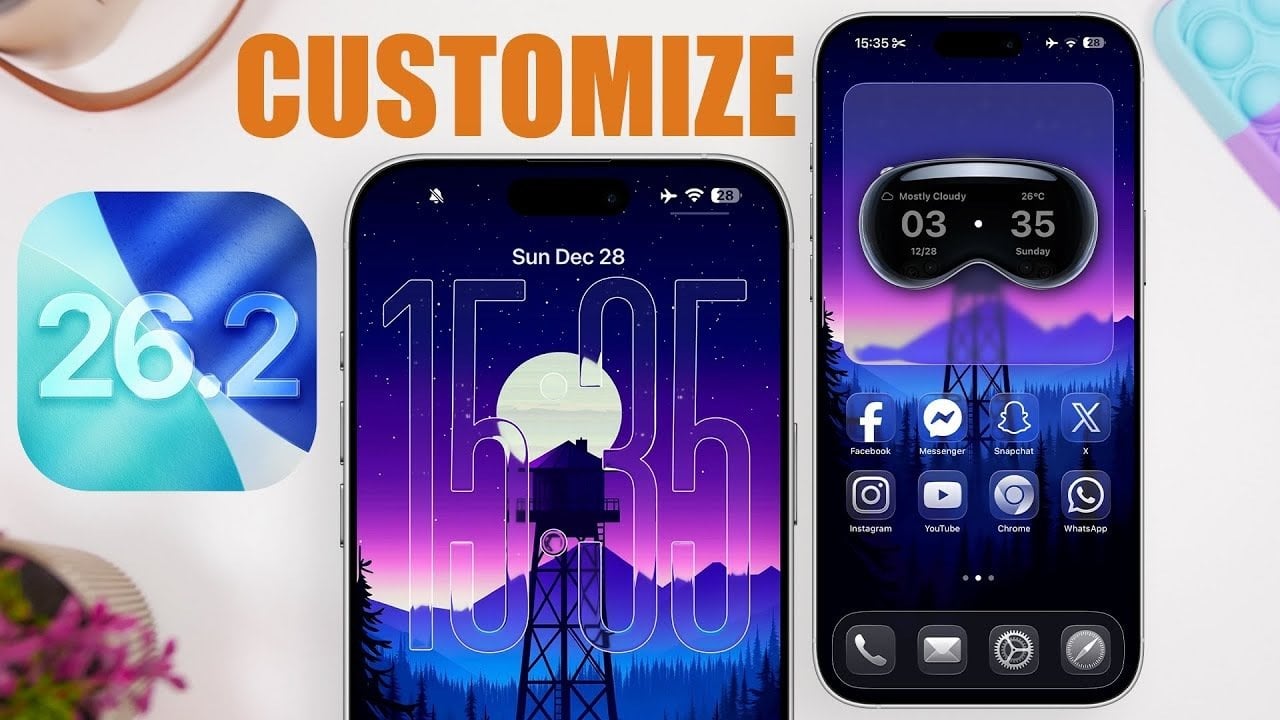
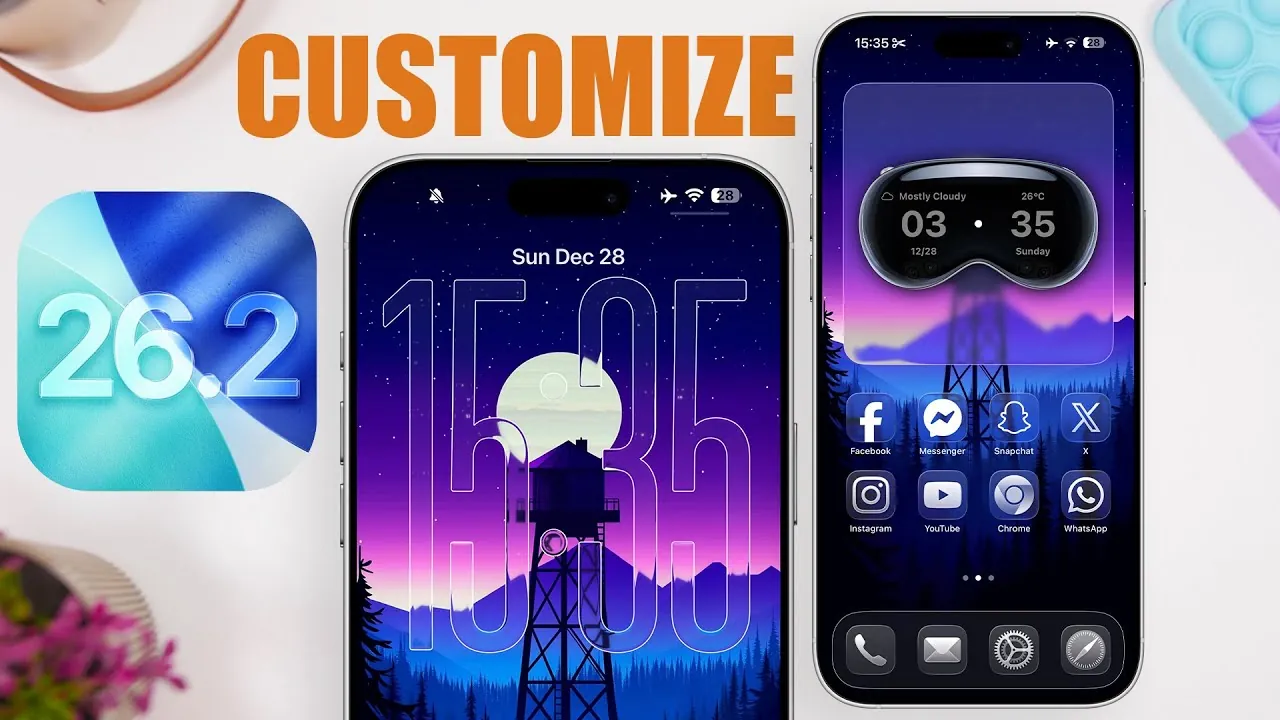
Apple’s iOS 26.2 introduces a new era of personalization and functionality, offering users unprecedented control over their lock screen and home screen. With features such as the liquid glass effect, advanced widget integration, and high-resolution wallpapers, this update transforms your device into a highly customized and visually captivating interface. These enhancements are designed to elevate both the aesthetic appeal and practical usability of your iPhone or iPad. Below is an in-depth look at the standout features and how they can enhance your experience in a new video from iReviews.
Liquid Glass Effect: A Sleek, Modern Aesthetic
The liquid glass effect is one of the most visually striking additions in iOS 26.2. This feature allows you to adjust the transparency and clarity of the clock display on your lock screen, creating a seamless blend with your chosen wallpaper. The “Clear” option takes this effect further, making sure the clock design complements the overall aesthetic of your device.
This feature is not just about looks—it also enhances readability by providing a clean and modern interface. Whether you prefer a bold, futuristic style or a subtle, minimalist design, the liquid glass effect offers a perfect balance of style and practicality.
UI Border Outlines: Enhanced Clarity and Navigation
The new “Show Border” option in Accessibility settings is designed to improve visibility and navigation. By outlining key interface elements such as the dock, control center, and app icons, this feature makes it easier to interact with your device.
You can customize the intensity of the borders, choosing between bold outlines for maximum clarity or subtle ones for a more refined appearance. This feature is particularly beneficial for users who value precision and ease of use, making sure that your device is tailored to your specific needs.
Lock Screen Customization: A Perfect Balance of Style and Function
iOS 26.2 takes lock screen customization to new heights, offering tools that allow you to create a design that reflects your personal style while maintaining practical functionality. The liquid glass effect and border outlines can be applied to the clock, enhancing both aesthetics and readability.
Additionally, widgets can now be placed at the bottom of the lock screen, providing quick access to essential information such as weather updates, reminders, or fitness stats. This thoughtful integration of form and function ensures that your lock screen is not only visually appealing but also highly efficient.
Home Screen Customization: Unleash Your Creativity
The home screen in iOS 26.2 becomes a creative playground, allowing you to design an interface that aligns with your preferences. High-quality wallpapers serve as the foundation, while adjustable icon sizes and styles enable you to create a cohesive and personalized look.
Transparent widgets further enhance the experience, blending seamlessly with your background to maintain a clean and modern interface. Whether you prefer vibrant, bold designs or minimalist aesthetics, these tools empower you to express your individuality and create a home screen that is uniquely yours.
Advanced Widget Integration: Stay Informed, Stay Stylish
Widgets in iOS 26.2 are more versatile and dynamic than ever before. Apps like Mojo and Widget offer a variety of customizable options, including clocks, weather displays, and task trackers. These widgets now feature transparent backgrounds, making sure they integrate seamlessly with your wallpaper for a polished appearance.
Frequent updates keep your widgets relevant and engaging, allowing you to stay organized and informed without compromising on style. This level of integration and adaptability makes widgets an essential part of the iOS 26.2 experience.
Wallpapers: The Foundation of Your Design
Wallpapers play a crucial role in defining the overall look of your device, and iOS 26.2 makes it easier than ever to find and use the perfect one. You can explore apps and online sources for unique designs that match your aesthetic preferences.
For a cleaner and more refined appearance, consider disabling wallpaper tint, which can obscure finer details. These options ensure that your wallpaper serves as the ideal backdrop for your customized lock screen and home screen, enhancing the overall visual appeal of your device.
Accessibility Enhancements: Design for Everyone
Apple continues to prioritize inclusivity with accessibility features that cater to a diverse range of users. The “Show Border” option, for instance, is particularly helpful for individuals with visual impairments, providing clear outlines that make navigation easier and more intuitive.
These updates demonstrate Apple’s commitment to creating a user-friendly experience for everyone, making sure that iOS 26.2 is both visually appealing and accessible to all.
Dynamic Visual Effects: A Fresh, Modern Interface
Dynamic visual effects in iOS 26.2 add a layer of interactivity and sophistication to your device. Subtle animations and responsive widgets create an engaging interface that evolves with your preferences. These effects are designed to keep your device feeling modern and innovative, making sure it remains both functional and visually captivating.
By combining these dynamic elements with the other customization tools, iOS 26.2 delivers an interface that feels fresh and tailored to your unique style.
Personalization Elevated
iOS 26.2 sets a new standard for device customization, offering a suite of tools that allow you to create a lock screen and home screen that are truly your own. With features like the liquid glass effect, advanced widget integration, and high-quality wallpapers, this update seamlessly combines aesthetics and functionality.
Whether you prefer bold, eye-catching designs or minimalist layouts, iOS 26.2 provides the flexibility to tailor your device to your style and needs. This update not only enhances the visual appeal of your device but also ensures it remains practical and user-friendly, making it a significant step forward in personalization.
Take a look at other insightful guides from our broad collection that might capture your interest in iOS 26.2 Customization.
Source & Image Credit: iReviews
Filed Under: Apple, Apple iPhone, Guides
Latest Geeky Gadgets Deals
Disclosure: Some of our articles include affiliate links. If you buy something through one of these links, Geeky Gadgets may earn an affiliate commission. Learn about our Disclosure Policy.