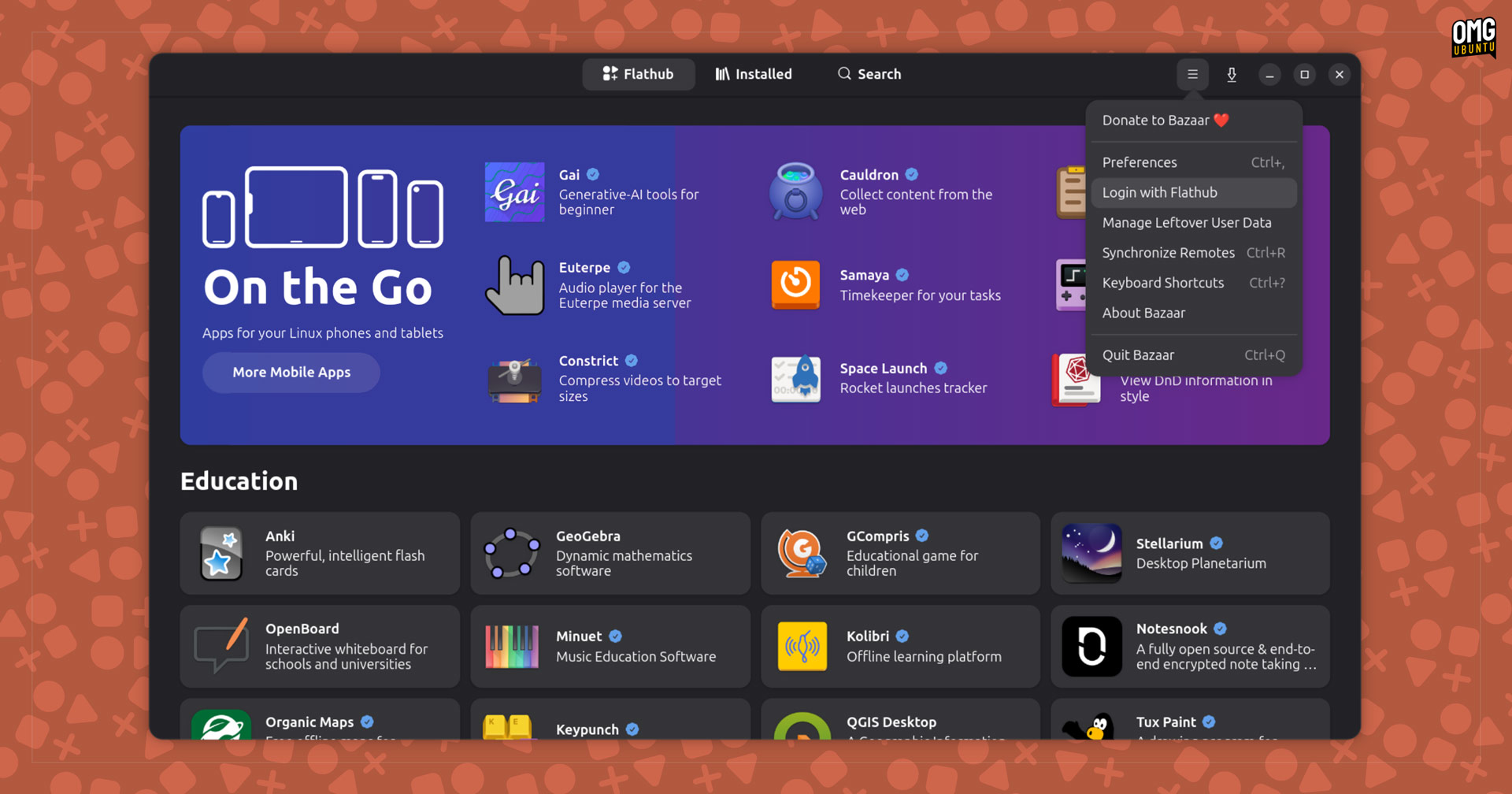
If you use Flatpak apps on Ubuntu you likely already use (or at know of) Bazaar, a GTK4/libadwaita frontend that makes it easy to search, manage and update apps available on Flathub.
Bazaar is updated frequently (I’ve covered some updates in my monthly Linux App Release Roundup series). Over the past few weeks, the app has been updated with more improvements, features and design tweaks – some rather obvious!
For instance, Bazaar now has a new app icon:
 Bazaar app icon before and after
The redesign adopts a market stall motif: striped awning over a selection of goods on display (a circle, triangle, and square riffing on the Flathub logo). As a thematic play, it’s a solid swap that fits better than the old price tag while adding colour to our keep screens looking lively.
Elsewhere, Bazaar makes app listings more informative with the addition of an app permission system. This shows a ‘risk’ assessment label on app listing pages which, when clicked, lists what packages can and can’t do if installed:
 Glanceable permission lists
You can now sign in with a Flathub account to bookmark apps in Bazaar or the Flathub website and have them kept in sync. You can also manage your faves incase they, y’know, are not longer your faves! This replaces Bazaar’s earlier ‘star count’ system.
 Login with Flathub to stash/sync app bookmarks
Recent updates have also brought other improvements worth noting:
- New “Only Show Verified” filter option
- Category pages for most categories
- “Adwaita” or “KDE” categories (based on DE)
- Additional Pride flag options for progress bars
- Improved text selection in app descriptions
- GNOME search provider results jump to app page
- Disk cache writes reduced
- Background status shown in popover
Bazaar actively surfaces developer support options, e.g., donation links, coffee purchases, whatever mechanism an app developer offers. This conscientiousness extends to other parts of the UI, as you can theme progress bars with Pride flag colours.
Recent updates have expanded the available choices with disability, genderqueer, intersex, demigender, and biromantic flags pride flags.
 New ‘verified results only’ filter option
Those averse to bright colours or social signals needn’t fret since Bazaar’s progress bars use the system accent colour by default. The pride flags are an optional embellishment.
Getting Bazaar on Ubuntu
You can install Bazaar from Flathub on most major Linux distributions, Ubuntu included.
The app itself is small, but if it’s the first Flatpak app you install, it will pull in the GNOME runtime too. That can makes the download look substantial. Those runtimes are shared between apps, so you only download them once.