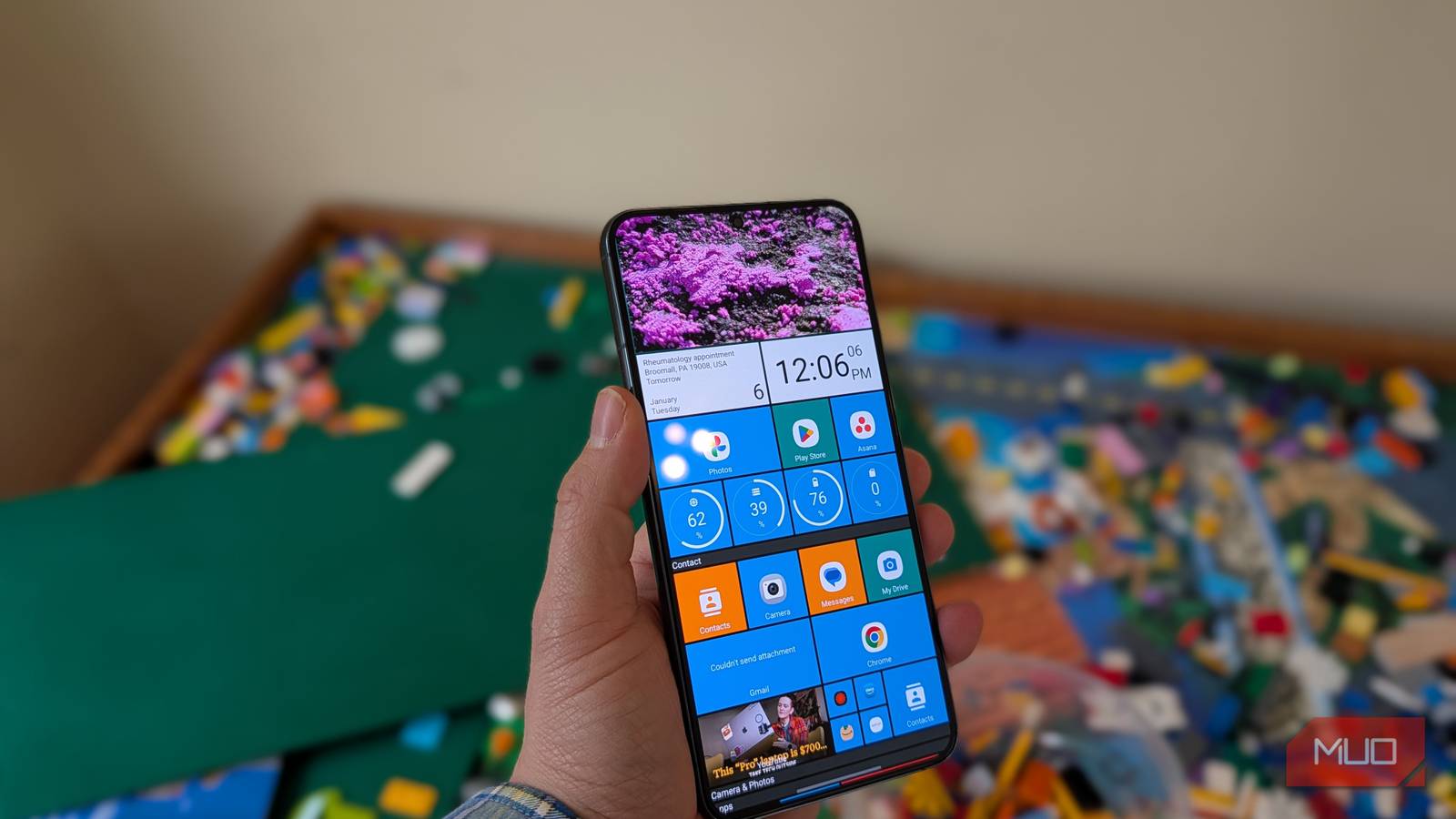
Microsoft’s failed Windows Phone brought us one of the most beautiful and innovative user interfaces ever. Metro, with its tile-based vertically-scrolling UI, felt alive and novel. And it was.
But it was short-lived — the Windows Phone era was a seven-year blip that spanned from 2010 to 2017. But I found an app that can bring the Windows Phone UI to any Android home screen, and I’m in love with it. I put it on my Samsung Galaxy S22+ that I fished out of a drawer, and now I’m back in the glory days of Microsoft’s mobile efforts.
Live tiles are back with Square Home
It’s a refreshing change from screens of icons
Credit: Brandon Miniman / MakeUseOf
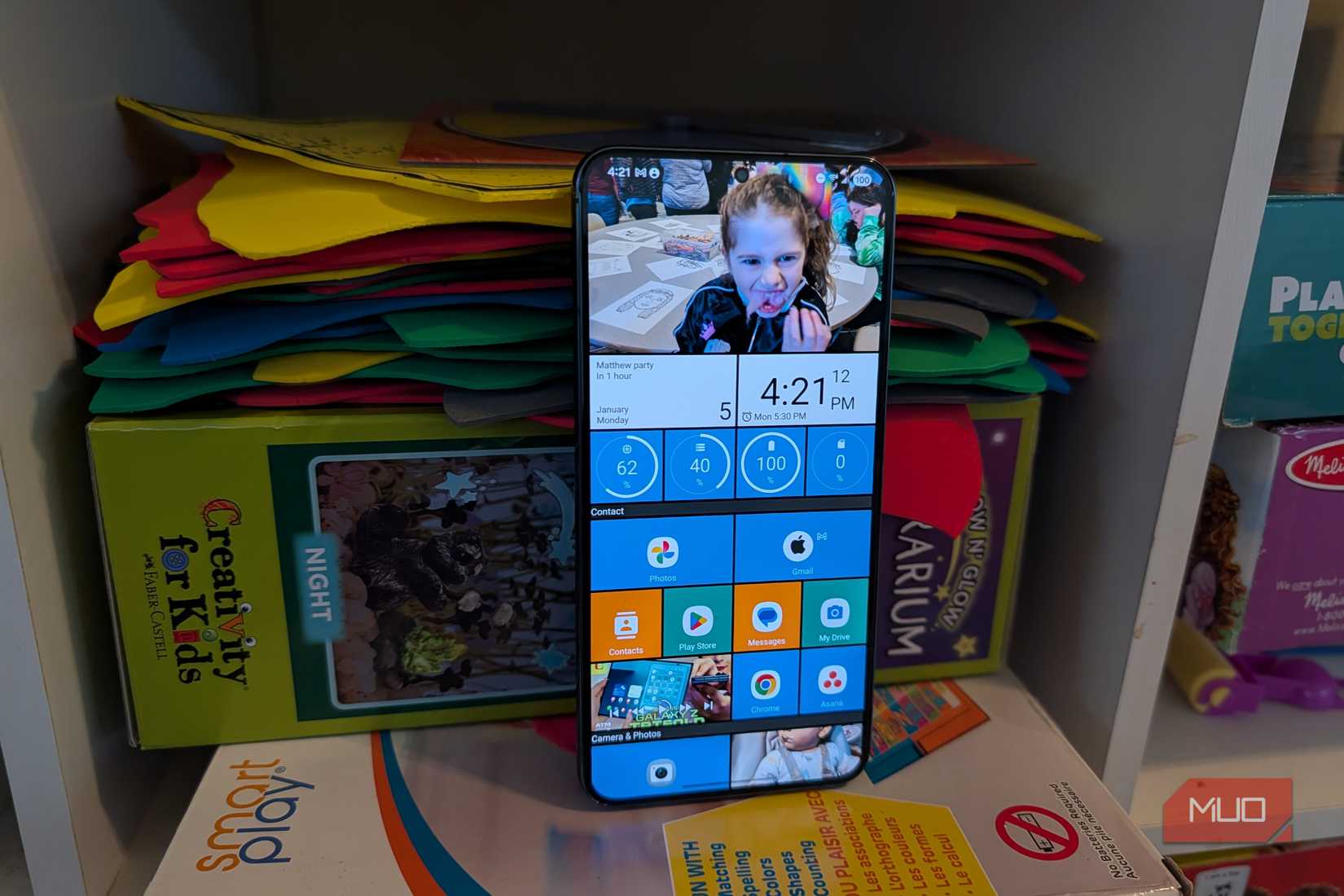
The app is called Square Home, and it’s a launcher for Android (tweaking launchers is among the best changes to make in Android). It’s not free, but the $1.99 yearly fee or $5.99 lifetime cost is worth it if you love Metro UI as much as I do.
You can add apps and widgets, but the best part is that Square Home will give them that Metro UI look while arranging everything in squares. You can specify the size of each tile to be tiny, half, small, wide, or large; the wide and large sizes will animate like the Live Tiles of Windows Phone.
Even the app drawer gets the Metro UI look. You can organize apps into folders, change the sort order, or search through your apps with the bottom bar.

Credit: Brandon Miniman / MakeUseOf
I’ll walk through the settings below, but you can add apps, shortcuts, launcher actions, contacts, and groups to Square Home. There’s a lot here, so you can really make it your own.
There’s lots of customization
Make the “Windows Phone” yours
Most Android launchers are a bit overkill with their slew of options and choices. One aspect I love about Square Home is that the options are not limitless, which makes it easier and less frustrating to tweak.
For example, you can granularly adjust the size of tiles and tweak text alignment. You can even set the height of the dividers, specify shadow behavior, and adjust whether text is capitalized. For the customization wizards among you, you can load a custom icon pack and adjust the icon scale size and background.
One of my favorite changes to make is toggling rounded edges on and off. You can get a totally different look to suit your mood, depending on whether you use rounded or square icons, as seen below.
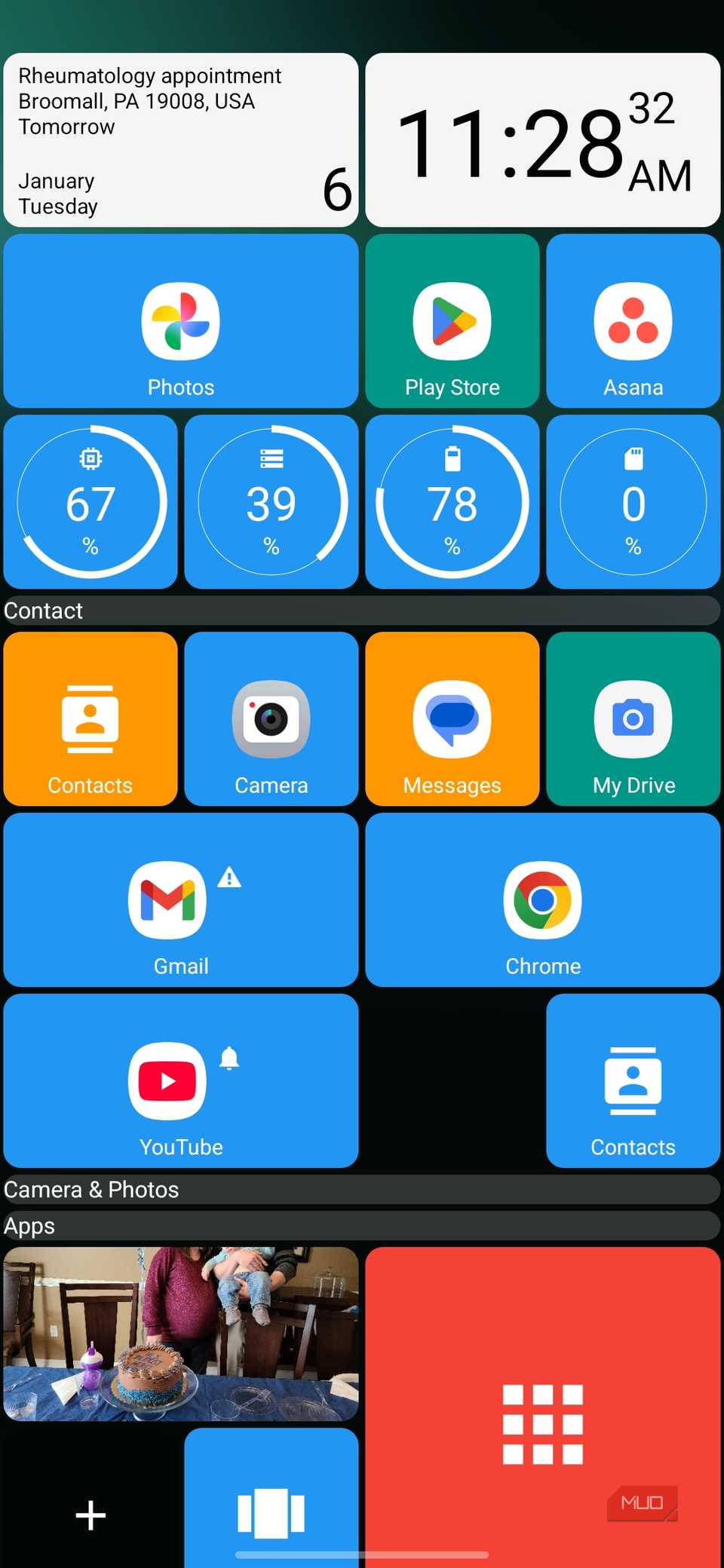
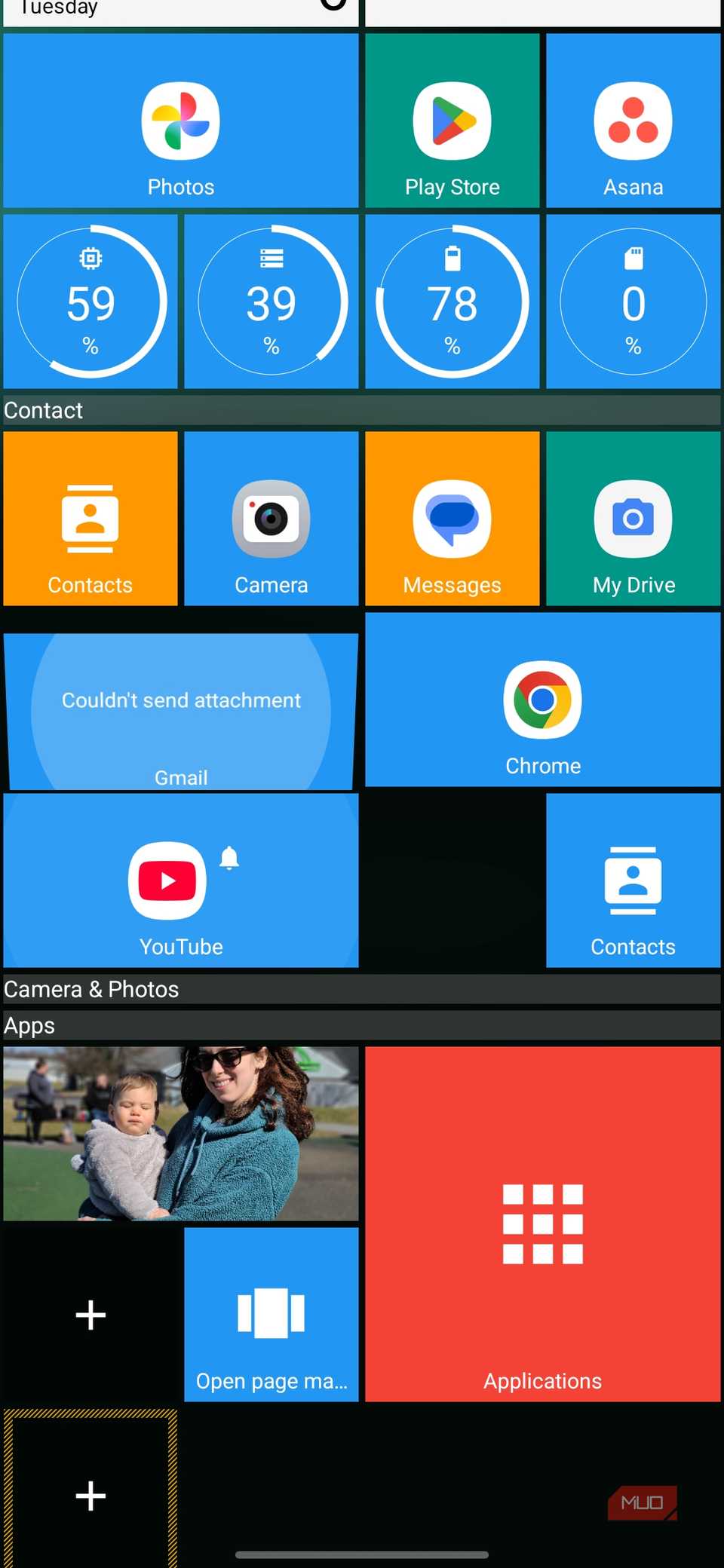
To do this, go into Square Home’s settings, then go to Tile Size and Style, scroll down to Tile Effect, and choose Rounded.
Related
I Finally Found an Android Launcher Worth Switching To
Stock feels outdated next to this launcher.
Easy layout editing
Through the layout editor, you can add multiple pages, lock the design, and more. Windows Phone originally only let you customize one home screen panel, which was vertically scrolling. With Square Home, you can have multiple lateral pages that scroll, which is great.
Imagine having one page for productivity apps and widgets, then a swipe to the right for another page with social media or smart home controls. You can add folders (which condense, then expand when tapped), different sections with dividers, and more. The customization is fantastic; having multiple vertically-scrolling home screens is a dream. It’s so much more natural to scroll vertically with your thumb than to keep swiping left and right between your home screen pages.
Square Home makes your Android feel like a Windows Phone
On the home screen, anyway
While you can’t exactly turn your Android device into a full-fledged Windows Phone (which would require all your apps to have the Metro UI typography-based design), you can certainly make your home screen and app drawer feel just like Windows Phone with Square Home. And yes, it’s still technically (sort of) possible to use a Windows Phone in 2026.
While it’s not free, it’s worth a few dollars if you’re like me and you miss the fantastic, groundbreaking user interface of Windows Phone before Microsoft killed it. Square Home even gets some of the little details right, like the subtle animations (Microsoft called them “live tiles”) that offer you information within each tile, rather than just an app icon.
For example, my Gmail tile is set up to animate between the app icon and a little preview of the most recent unread email. Or, my photos widget animates to show the last few photos I’ve taken. It’s this movement and animation that made Windows Phone feel alive. While the platform is probably never coming back, you can at least experience the best part of it (the incredible home screen experience) on any Android phone with Square Home.