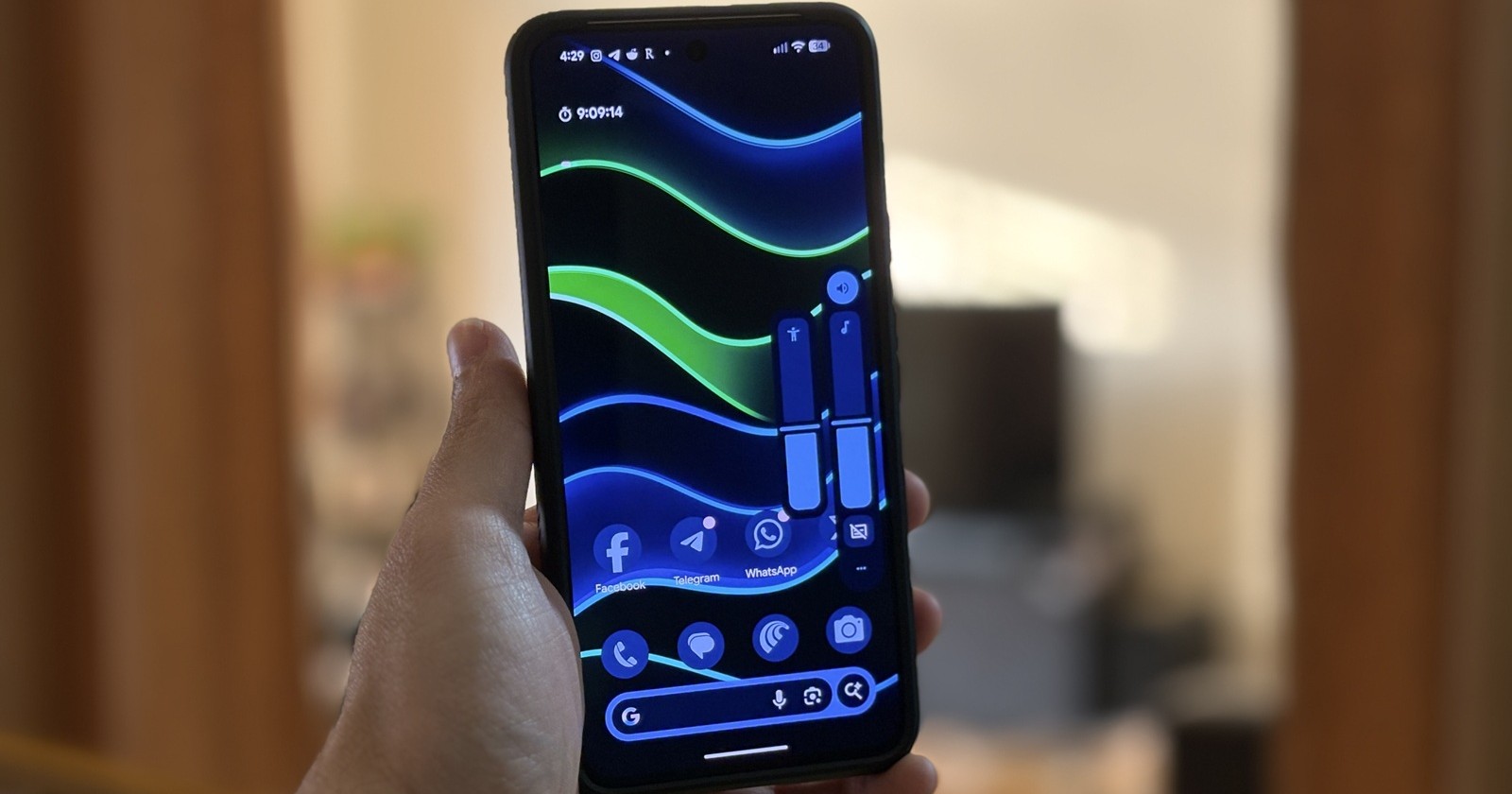
A growing number of Google Pixel users are reporting unusual volume button behavior following recent Android updates, with complaints surfacing more frequently after the November and December 2025 security patches. However, evidence suggests the issue is not new and may have been quietly affecting users for several months.
Reports indicate that the problem is software-related and not limited to Pixel devices alone, as users on Samsung and Asus phones are experiencing similar behavior.
What’s the issue?
Affected users say their volume buttons no longer function as expected. The most common symptoms include:
- Holding the volume up or down button no longer works, forcing users to repeatedly tap the buttons to adjust volume one step at a time.
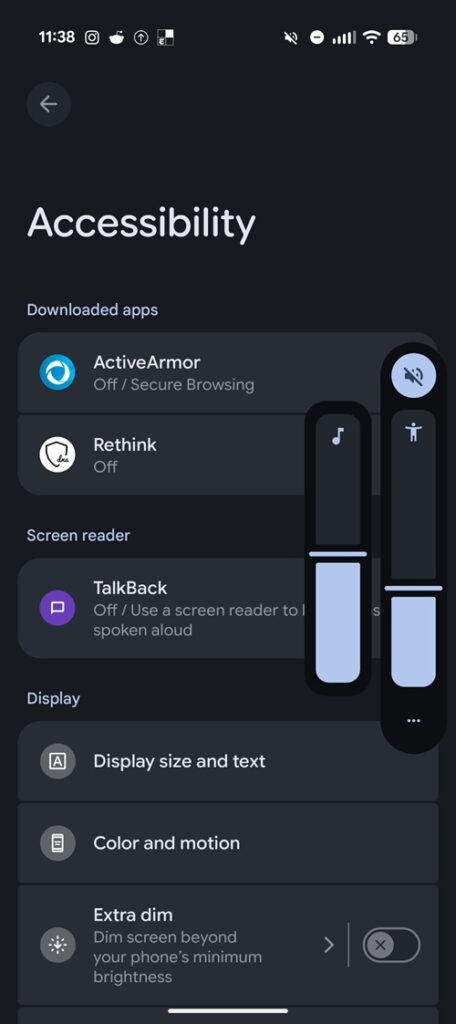
- Volume buttons stop controlling media volume and instead adjust call volume or accessibility-related sliders.
- An accessibility overlay appears when pressing the volume keys, sometimes covering a large portion of the screen.
- On Pixel devices, volume buttons stop working as camera shutter controls, a long-standing feature in the Camera app.
Several users initially suspected hardware failure, but older reports — some dating back to June 2025 — confirm identical behavior across multiple Pixel generations, ruling out physical button issues.
One Pixel 9 Pro user noted that system logs showed normal button press events, but no repeat events when holding the button, strongly pointing to a software regression.
Not just a Pixel problem
While most reports come from Pixel owners, similar complaints have now been confirmed on Samsung Galaxy devices, including foldables, Asus ROG Phone 9, and other Android phones running recent updates.
This wider impact suggests the issue is tied to a shared Android component, rather than Pixel-exclusive firmware.
Android Accessibility Suite appears to be the cause
Multiple users have identified a common trigger: updates to the Android Accessibility Suite app.
In many cases, volume button behavior changed overnight without a system update, but coincided with an automatic Accessibility Suite update via the Play Store. Rolling back or disabling the app immediately restored normal functionality for affected users.
Specifically, accessibility features such as Select to Speak and volume-key shortcuts appear to intercept long-press volume events, preventing continuous volume adjustment
Workarounds that have worked so far
Until an official fix is released, users report the following workarounds as effective:
Option 1: Uninstall Android Accessibility Suite updates (most reliable)
- Open Settings
- Go to Apps (or Apps & notifications)
- Tap See all apps
- Select Android Accessibility Suite
- Tap the three-dot menu (⋮) in the top-right corner
- Choose Uninstall updates
- Confirm the action
After doing this, long-press volume control, media volume adjustment, and camera shutter functionality typically return.
Some users report that simply force-stopping the Accessibility Suite immediately restores normal behavior. However, the issue may return after restarting the device.
Important: Users should disable automatic updates for Android Accessibility Suite in the Play Store, as the issue may reappear once the app updates again.
Option 2: Disable Select to Speak quick access
A smaller subset of users resolved the problem by turning off the Select to Speak shortcut:
- Open Settings
- Go to Accessibility
- Tap Select to Speak
- Disable the Quick access/shortcut option
This prevents accessibility features from overriding volume button input.
As of now, Google has not officially acknowledged the issue. However, given that reports span multiple Android versions, devices from different manufacturers are affected, and the problem is consistently tied to the Accessibility Suite, a future update to the Android Accessibility Suite will likely be required to fully resolve the issue.